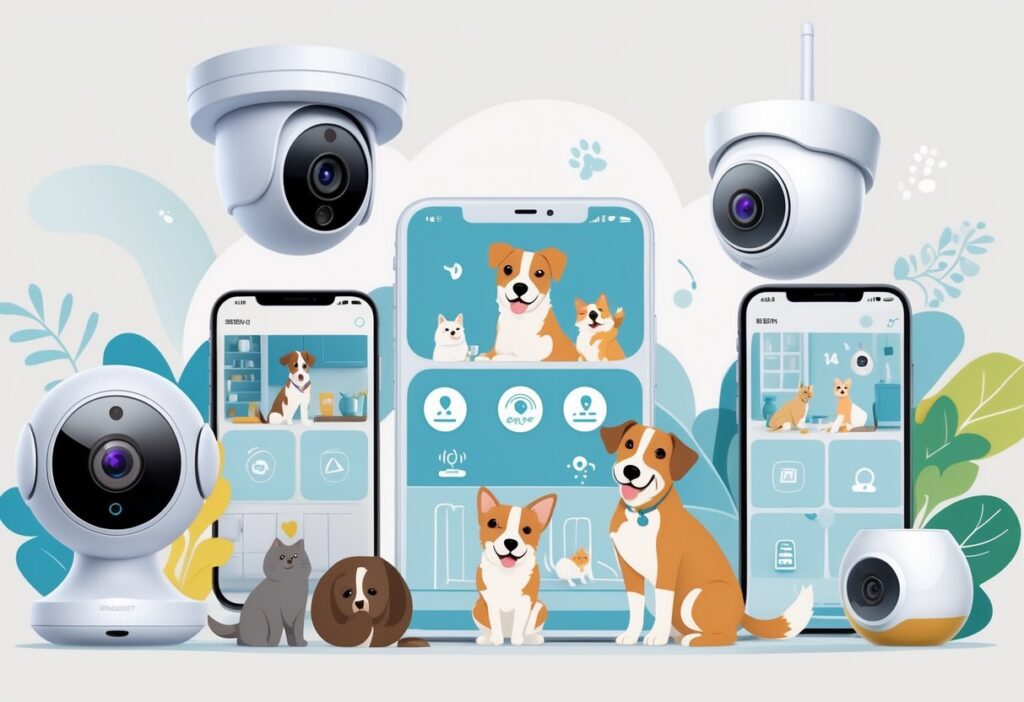
Finding a pet camera that fits a tight budget while still offering useful features can be a challenge. Many affordable models under $50 provide clear video, night vision, and two-way audio, making it easy to check on pets and even talk to them when away. These budget-friendly cameras deliver reliable monitoring without sacrificing important functions that pet owners need.
Pet cameras in this price range often include smart features like motion alerts and pet tracking, which help owners stay connected no matter where they are. With options offering 1080p HD video and easy-to-use apps, it’s possible to keep a watchful eye on pets without spending much. This balance of price and performance makes these cameras a practical choice for most pet owners.
Users should consider how cameras store footage, the ease of setup, and how well they fit into their smart home systems. Whether a customer wants local storage or cloud options, or prefers a brand with simple controls, there are effective choices under $50 that meet these needs without extra cost.
Key Takeways
- Budget pet cameras provide clear video and two-way audio for effective monitoring.
- Many models include motion alerts and simple app controls for real-time updates.
- Storage options and smart home compatibility vary, offering flexibility for different users.
Budget Pet Camera Under $50 Comparison Chart
| Model | Video Resolution | Night Vision | Two-Way Audio | Motion Detection | View Angle | Storage Options | Smart Home Integration | Price (Approx.) |
|---|---|---|---|---|---|---|---|---|
| Nooie Cam 360 | 1080p HD | Infrared | Yes | Yes | 360° Pan/Tilt | Cloud & Local (microSD) | Limited | $45 |
| Wansview Q5 | 1080p HD | Infrared | Yes | Yes | 110° | Cloud & Local (microSD) | Alexa | $39 |
| Blink Mini | 1080p HD | Infrared | Yes | Yes | 110° | Cloud | Alexa | $35 |
| YI Dome Camera U | 1080p HD | Infrared | Yes | AI Pet Detection | 340° Pan/95° Tilt | Cloud & Local (microSD) | Limited | $50 |
| Imou Rex 3D | 2K HD | Color Night Vision | Yes | Smart Tracking | 355° Pan/90° Tilt | Cloud & Local (microSD) | Limited | $50 |
| Petcube Cam | 1080p HD | Infrared | Yes | Yes | 110° | Cloud | Alexa | $49 |
Note: Budget Pet Camera Under $50 Prices and features are approximate and may vary by retailer or promotion. All cameras listed are available for under $50 at the time of writing and represent the best budget pet camera options in 2024.
What to Expect From a Budget Pet Camera Under $50
A budget pet camera under $50 offers practical features for pet monitoring without extra costs. Users can expect reliable video quality, basic smart functions, and essential controls to stay connected with their pets. However, these models have some limits compared to higher-priced options.
Essential Features in This Price Range
Most budget-friendly pet cameras provide 1080p HD video for clear live feeds. Night vision is standard, allowing pet owners to see their pets in low light. Two-way audio is common, letting users talk to pets or soothe them remotely.
Motion detection comes with alerts, although pet-specific AI may be less advanced or missing. Many models offer local storage or limited cloud storage. A companion app with real-time access is included, typically supporting both iOS and Android.
Wide-angle lenses or basic pan/tilt functions appear in top options, helping follow pets around rooms. Silent operation without loud noises is often considered to avoid scaring animals.
Typical Limitations for Budget Pet Camera Under $50
Pet cams under $50 often lack advanced AI features like precise pet or face recognition. Motion tracking might not always smoothly follow pets, making coverage less comprehensive. Cloud storage usually has size or time limits, and some cameras require subscriptions for full features.
Build quality and durability tend to be basic but acceptable for indoor use. Wireless range can be limited, so placement near a strong Wi-Fi signal is essential. Some budget cameras have delay in video feed or occasional app glitches.
Audio quality is usable but may not be crisp, and speaker volume might be low. Integration with smart home systems is often minimal or absent in this price bracket.
Popular Use Cases for Budget Pet Camera Under $50
Budget pet cameras suit owners who want simple monitoring and occasional check-ins. They help reduce anxiety by allowing quick visits to live video feeds during the day. These cameras are useful for seeing if pets are safe and relaxed or to catch unwanted behavior early.
They work well for homes with dogs, cats, or small pets needing supervision. Two-way audio supports interaction, calming pets when owners are away. Night vision makes them valuable for nighttime checks.
Some pet owners use budget cams for basic security, as they provide motion alerts and video logs. They are ideal for people with limited budgets who prioritize core monitoring features over extras.
Key Features to Look For Budget Pet Camera Under $50
A good budget pet camera should offer clear video, effective motion detection, and easy ways to communicate with pets. These features help owners keep track of their pets’ activity and interact with them when away.
Video Resolution and Night Vision for Budget Pet Camera Under $50
Video quality is crucial for seeing pets clearly. Most pet cameras under $50 have 1080p HD video, which provides sharp and detailed images to monitor pets throughout the day. Some models offer 8x digital zoom to focus on specific areas or pets without losing much clarity.
Night vision is equally important for monitoring pets in low light. Look for cameras with color night vision or full-color night vision. This feature uses LED lights to show color images even in the dark, making it easier to see pets’ expressions and movements compared to standard black-and-white night vision.
Motion Detection and Alerts for Budget Pet Camera Under $50
Motion detection helps owners know when something is happening. The best budget cameras have reliable motion detection that can distinguish pet movement. This avoids false alerts from shadows or other sources.
Cameras with customizable motion alerts send notifications to phones whenever pets move. This feature is useful for spotting unexpected or unusual activity. Some cameras include pet-specific AI that tracks pets more accurately. This ensures owners receive relevant alerts and can check the live stream immediately.
Two-Way Communication Capabilities
Communication is key to staying connected with pets remotely. Cameras with two-way communication have built-in microphones and speakers, allowing users to hear and talk to their pets.
This feature helps soothe pets when owners are away. Many budget models include clear audio with no delay. Some pet cameras also offer voice control through apps or smart home devices, making it easier to interact hands-free.
Two-way communication also helps in correcting behavior or simply comforting pets without being there physically.
Comparing Video Quality: 1080p HD and Beyond
Video quality is a key factor in choosing a budget pet camera under $50. Features like resolution, field of view, and night vision types affect how clearly pet owners can see their pets anytime, day or night. Digital zoom and camera angle also impact user experience by providing more control over the view.
Importance of High-Definition Video
Most budget pet cameras offer 1080p HD video, which delivers clear and detailed images. This resolution is good enough to see pets’ expressions, movements, and even small details like collar tags.
Higher resolutions like 2K or 4K are rare in this price range and usually found in more expensive models. For under $50, 1080p HD balances good image quality with smooth streaming and manageable data use.
Clear video is especially important during live viewing or for recording short clips. It helps owners spot if pets are safe or if something unusual is happening.
View Angle and Zoom
The view angle determines how wide the camera can see. Many budget pet cameras offer between 120 to 160 degrees. A wider angle covers more space and reduces blind spots, useful in rooms with pets that move a lot.
Some models like the Petcube Cam provide manual tilt or pan features. This lets owners adjust the camera angle remotely, making it easier to follow pets.
Digital zoom allows users to enlarge parts of the video. For example, 8x digital zoom helps to focus on a specific area or pet detail without moving the camera physically. However, digital zoom may reduce image sharpness when fully zoomed in.
Night Vision Types
Night vision lets pet owners watch their pets in low light or darkness. Budget cameras usually offer black-and-white infrared night vision.
Some higher-end budget models offer color night vision, where the footage retains color at night, offering better detail and a more natural look. Full-color night vision is less common but provides clearer images in dim lighting.
Color night vision makes it easier to distinguish objects or pets in the dark. It may require extra lighting or better camera sensors but is a helpful feature for pet owners who want sharp video at all hours.
Top Budget Pet Camera Brands and Models
Many affordable pet cameras deliver useful features like two-way audio, HD video, and motion alerts. Different brands focus on various strengths such as ease of use, smart tracking, or compatibility with smart home systems.
Popular Choices Under $50
Nooie Cam 360 and Wansview Q5 are top picks under $50. Nooie Cam 360 offers 1080p video with 360° pan/tilt, making it easy to follow pets around a room. It also includes night vision and two-way audio.
Wansview Q5 also has 1080p resolution, two-way talk, and night vision. It is Alexa-compatible, which allows voice control. Both models provide local or cloud storage options, making them budget-friendly while covering essential monitoring features.
Petcube Cam vs Blink Mini
Petcube Cam offers reliable HD video and two-way audio but often costs more than $50. It stands out for its pet-specific app features and treat dispenser models, which add extra interaction with pets remotely.
Blink Mini is a popular indoor camera known for quick setup and simple app controls. It provides HD video and motion alerts but lacks pet-specific AI. Blink Mini tends to be more affordable than Petcube but with fewer pet-focused features.
Other Noteworthy Models
The YI Dome Camera U and Imou Rex 3D are notable competitors near the $50 mark. YI Dome offers AI pet detection with motion tracking, which helps keep better tabs on pets’ movements.
Imou Rex 3D provides 2K quality video and smart tracking with additional privacy controls. These cameras bring strong image quality and intelligent features at budget prices, offering alternatives to more common options like Wyze or TP-Link models.
Connectivity and Smart Home Integration
A good budget pet camera under $50 needs solid connectivity and easy smart home integration. This includes reliable Wi-Fi support, compatibility with popular smart assistants, and practical features like smart notifications and controls. Together, these elements let pet owners monitor pets smoothly and interact with their cameras from anywhere.
Wi-Fi Compatibility
Most budget pet cameras support 2.4GHz Wi-Fi bands. This frequency provides better range and consistent connection through walls, which is important for indoor use. Cameras that only support 2.4GHz are common at this price point because 5GHz Wi-Fi requires more power and more complex technology.
Some cameras offer easy Wi-Fi setup directly through their app. This process often includes scanning a QR code or entering Wi-Fi details manually. Stable Wi-Fi ensures continuous live video, clear two-way audio, and timely alerts without frequent disconnections or lag.
Integrating With Google Assistant and Apple HomeKit
Smart home integration adds convenience to pet monitoring. Budget cameras that work with Google Assistant allow users to use voice commands to view camera feeds on compatible displays or control certain features hands-free.
Apple HomeKit compatibility is less common in cheaper models but some support it, enabling camera feeds to appear directly in the Apple Home app. This allows for seamless control alongside other smart home devices, including automations.
These integrations focus on voice control and simple access. For example, a user can say, “Hey Google, show me the living room camera,” to check on pets without opening an app.
Smart Notifications and Controls
Smart notifications on budget pet cameras alert owners about pet movement, sound changes, or suspicious activity. Many cameras offer customizable alerts, so owners can reduce false alarms caused by things like shadows or other household movement.
Additionally, two-way audio lets users speak to their pets in real-time. This is useful for calming pets or giving commands remotely. Cameras often include controls in their apps for pan, tilt, or zoom if available, to better track pets around a room without having physical access to the device.
Storage Options: Cloud vs Local
Pet cameras under $50 often offer two main ways to save footage: cloud storage or local storage. Each has strengths worth considering based on cost, access, and security needs.
Cloud Storage Subscriptions
Many budget pet cameras rely on cloud storage, which saves videos on remote servers. This means users can access footage anytime from their phone or computer, even when away from home. However, cloud storage often requires a monthly or yearly subscription fee. These fees typically cover features like longer video retention, motion-activated clips, and smart alerts.
Cloud storage can protect footage from theft or damage to the camera since videos are stored remotely. It also usually supports easy sharing of clips with others. The downside is subscription costs may add up—some plans cost around $4 to $7 per month. Users should check what storage limits and video quality are offered before committing.
Using Local Storage Effectively
Local storage usually involves saving footage on microSD cards or a home device like a DVR. Budget pet cameras with local storage let users save videos without ongoing fees. This can be a major plus for owners wanting to avoid monthly costs.
However, local storage depends on physically accessing the camera or memory card to view or download videos. There is also a risk of lost footage if the camera is stolen or damaged. MicroSD cards vary in size, typically from 16GB to 128GB, which affects how much video can be saved.
To use local storage effectively, owners should choose cameras with high-capacity card support and regularly back up important clips. Positioning the camera securely can also minimize the chance of losing stored footage.
Comparison Chart: Best Budget Pet Cameras Under $50
| Product | Video Quality | Motion Tracking | Storage Options | Two-Way Audio | Night Vision | App Controls | Cloud Storage | Local Storage | Subscription Required | Price |
|---|---|---|---|---|---|---|---|---|---|---|
| Nooie Cam 360 | 1080p HD | Yes (Auto-Tracking) | Cloud & microSD | Yes | Yes | iOS & Android | Optional | Up to 128GB | No (for local) | $39–$49 |
| YI Dome Camera U | 1080p HD | Yes | Cloud & microSD | Yes | Yes | iOS & Android | Optional | Up to 128GB | No (for local) | $35–$45 |
| Galayou Indoor Pet Camera | 2K HD | Yes | Cloud & microSD | Yes | Yes | iOS & Android | Optional | Up to 128GB | No (for local) | $29–$39 |
| Wyze Cam v3 | 1080p HD | No (Motion Detection Only) | Cloud & microSD | Yes | Yes | iOS & Android | Optional | Up to 256GB | No (for local) | $35–$45 |
| Zmodo Mini Pro | 1080p HD | No | Cloud & microSD | Yes | Yes | iOS & Android | Optional | Up to 128GB | No (for local) | $29–$39 |
All listed budget pet cameras support both cloud storage and local storage, with cloud storage subscriptions optional for additional features. Local storage allows subscription-free operation. These budget pet cameras offer key features like motion tracking, night vision, and two-way audio, making them strong contenders for affordable home pet monitoring.
Setup and Ease of Use
Setting up a budget pet camera under $50 usually involves a few simple steps. The process often requires connecting the device to Wi-Fi and downloading an app. Once configured, users can control most camera features remotely with ease. The experience varies by brand, but most aim to make the setup quick and straightforward.
Initial Installation Steps
Installing a budget pet camera typically starts with plugging it in near the pet’s usual area. Next, users connect the camera to their home Wi-Fi network. This step usually involves scanning a QR code or entering the network details manually through the camera’s app.
Positioning the camera matters. It should cover the main space where the pet spends time.
Most budget pet cameras come with clear instructions. Some support 2.4GHz Wi-Fi networks only, so verifying compatibility beforehand is important.
Devices like the Petcube models are known for simple plug-and-play setups. The physical installation rarely requires tools.
Mobile App Controls
Mobile apps are essential for using pet cameras under $50. These apps allow users to view live video, receive motion alerts, and operate two-way audio.
The apps are compatible with both iOS and Android devices. They usually feature options to adjust video quality, microphone volume, and alert settings.
Some pet cameras, such as Wyze Cam and Zmodo, offer user-friendly apps that let users customize motion detection zones to reduce false alerts.
App-based control gives users the freedom to check their pets from anywhere with an internet connection.
User Experience and Reliability
User experience depends heavily on app performance and camera stability. Budget pet cameras vary in streaming quality and connection reliability.
Many models deliver consistent 1080p HD video during daytime and night vision capabilities at night. However, occasional lag or disconnection can occur on weaker Wi-Fi networks.
Reliable motion alerts help owners stay aware of pet activity in real time. That said, sensitivity settings are often needed to avoid frequent false alarms caused by minor movements.
Two-way audio allows users to communicate with pets, reducing anxiety. Budget cameras aim to balance features with ease of use, focusing on straightforward controls for non-technical users.
Advanced Features Available Under $50
Budget pet cameras under $50 now include features that help pet owners monitor their pets more closely. These features focus on tracking movement and giving flexible viewing options, making it easier to follow pets around a room and capture important details clearly.
Motion Tracking and Auto-Tracking
Many budget pet cams offer motion tracking, which detects movement and sends alerts to the owner’s phone. This feature helps owners stay aware when their pet moves or triggers activity, reducing the need to watch live video constantly.
Some models include auto-tracking, which automatically follows a pet as it moves within the camera’s view. This means the camera pans or tilts to keep the pet centered on screen without manual control. Auto-tracking works well for pets that move frequently around a room.
Motion detection is often paired with AI to reduce false alarms from non-pet objects. This makes alerts more accurate and useful. These cameras usually support recording to cloud or local storage, so owners can review footage triggered by motion.
Pan, Tilt, and Digital Zoom
Cameras under $50 often have pan and tilt capabilities, allowing 360° or nearly full-room views. Owners can remotely adjust the camera direction to see different parts of a room or track pets as they move.
Some models include digital zoom up to 8x, helping owners see details like a pet’s face or toys from a distance. While digital zoom reduces image quality compared to optical zoom, it remains useful for close inspections on small screens.
Combined, pan, tilt, and zoom give owners control over monitoring without moving the camera physically. This flexibility makes it easier to keep pets in sight in larger or multiple-room spaces.
Security and Privacy Considerations
When choosing a budget pet camera under $50, safeguarding video streams and following secure usage habits is critical. These steps help protect personal data and ensure pets remain safe while being monitored remotely.
Protecting Your Video Streams
Many budget pet cameras offer both cloud storage and local storage options. Cloud storage encrypts video files on remote servers, which reduces the risk of unauthorized access but depends on the provider’s security. Local storage uses SD cards inside the camera, giving more control but can be stolen or damaged.
To protect video streams, users should:
- Set strong, unique passwords for camera accounts.
- Enable two-factor authentication when available.
- Regularly update camera firmware to fix security flaws.
- Avoid using default network settings and change Wi-Fi passwords frequently.
These measures help prevent hackers from accessing live feeds or stored footage through weak security.
Best Practices for Safe Usage
Safe use is vital to keep pet cameras secure and privacy intact. Always place cameras where they monitor pets but respect family privacy zones, like bedrooms or bathrooms.
Users should:
- Turn on privacy modes or shutters if offered.
- Connect cameras to trusted, secured Wi-Fi networks.
- Limit who has access to the camera app and stored videos.
- Regularly review app permissions and camera access logs.
Following these steps minimizes risks of unwanted spying and maintains confidence in remote pet monitoring.
Tips for Maximizing Value When Buying a Budget Pet Camera
Finding a budget pet camera under $50 means focusing on features that match specific needs and fully using what the device offers. Careful choice and active use of all functions can improve the pet monitoring experience without raising costs.
Choosing the Best Model for Your Needs
He or she should consider the pet’s behavior and the living space when selecting a budget-friendly camera. For example, if the pet moves a lot, a camera with pan/tilt or wide-angle view helps keep the pet in sight. Night vision is crucial for low-light monitoring, especially for pets active at night.
Two-way audio is useful for interaction, allowing the owner to talk or calm the pet remotely. Storage options matter; local storage avoids subscription fees, while cloud storage increases security. Compatibility with home assistants like Alexa can add convenience. It is best to compare cameras on these key features rather than price alone.
Making Use of All Available Features
Once the pet camera is set up, using all features enhances value. Activating motion alerts lets owners know when their pet is active. Setting customizable activity zones reduces false alarms from non-pet movement.
Two-way audio lets owners soothe pets or give commands. Night vision should be tested and adjusted for clear images. Using the app’s remote viewing option keeps pet monitoring flexible and immediate.
Regular updates to software improve camera performance and security. Taking full advantage of storage settings, like scheduling recordings, helps avoid missing important moments.
Troubleshooting Common Issues
Using a budget pet camera can present some challenges, especially with wireless connections and alert settings. Addressing these issues quickly helps maintain smooth monitoring and reliable notifications.
Connectivity Problems
Many budget pet cameras rely on 2.4GHz WiFi, which offers better range but can be sensitive to interference. If the camera loses connection frequently, the user should first check the WiFi signal strength near the camera. Moving the router closer or using a WiFi extender can improve stability.
Restarting both the camera and the router often resolves temporary connection glitches. It is also important to verify that the camera’s firmware and companion app are updated to support stable connections.
If the camera supports only 2.4GHz networks, connecting it to a dual-band router’s 5GHz network will not work. Users should confirm the phone or device used for monitoring is connected to the same 2.4GHz network during setup and use.
Alert and Storage Settings
Motion alerts on budget pet cameras need careful adjustment to avoid frequent false notifications. Users should set customized motion detection zones and sensitivity levels in the app to focus only on relevant areas.
Cloud storage is often offered as an option but may come with limited free days, like 3 days, or require subscription fees. For budget users, enabling and using local storage via microSD cards is a practical way to save video without ongoing costs.
It is essential to check storage capacity regularly. Full storage can prevent new footage from saving and stop alerts related to recording. Turning on notifications for storage status helps avoid missing important videos.
Frequently Asked Questions
Budget pet cameras often include features like two-way audio, motion detection, night vision, and app alerts. Many offer good video quality and pet tracking within a limited price range.
What are the top features to look for in a pet camera when shopping on a budget?
Key features include two-way audio to talk to pets, wide-angle or pan/tilt lenses for full room coverage, and motion alerts to know when pets move. Night vision and app access for live views are also important.
Which pet cameras under $50 offer the best value for money?
Models like the Nooie Cam 360, YI Dome Camera U, and Galayou Indoor Pet Camera provide good video quality, smart tracking, and clear two-way audio while staying under $50. They balance features and price well.
Are there any subscription-free pet cameras available under $50?
Yes. Many budget cameras under $50 offer local storage options like SD cards and cloud storage without mandatory subscriptions. This avoids extra monthly fees for monitoring.
How do entry-level pet cameras under $50 compare to more expensive models?
Entry-level cameras provide basic functions such as HD video and two-way audio but may lack advanced AI features or ultra-high resolution. Expensive models often include better pet-specific AI and interactive controls.
Can budget pet cameras under $50 provide interactive features for pet engagement?
Some budget cameras include two-way talk and motion tracking but usually do not offer advanced interactive elements like treat dispensers or remote-controlled toys found in pricier models.
What should I consider when choosing a pet camera to ensure it meets my needs?
Consider the size of the room, desired video quality, and whether features like pan/tilt or AI pet detection matter. Also, check for silent operation to avoid disturbing pets and review app usability for easy remote access. When selecting a pet camera, compare different pet camera models to find the best fit for your home and pet monitoring needs.
Pet Camera Comparison Chart
| Pet Camera | Video Quality | Pan/Tilt | AI Pet Detection | Silent Operation | App Usability |
|---|---|---|---|---|---|
| Petcube Bites 2 | 1080p HD | No | Yes | Yes | Easy |
| Furbo Dog Camera | 1080p HD | No | Yes | Yes | Easy |
| Eufy Pet Camera | 2K HD | Yes | Yes | Yes | Very Easy |
| Wyze Cam Pan v2 | 1080p HD | Yes | No | No | Moderate |
Reviewing this pet camera comparison chart can help you choose the best pet camera for your needs. Each pet camera offers unique features, so select the pet camera that aligns with your priorities for video quality, AI detection, and app usability.

8 thoughts on “Budget Pet Camera Under $50: Best Features, Top Picks, and Setup”