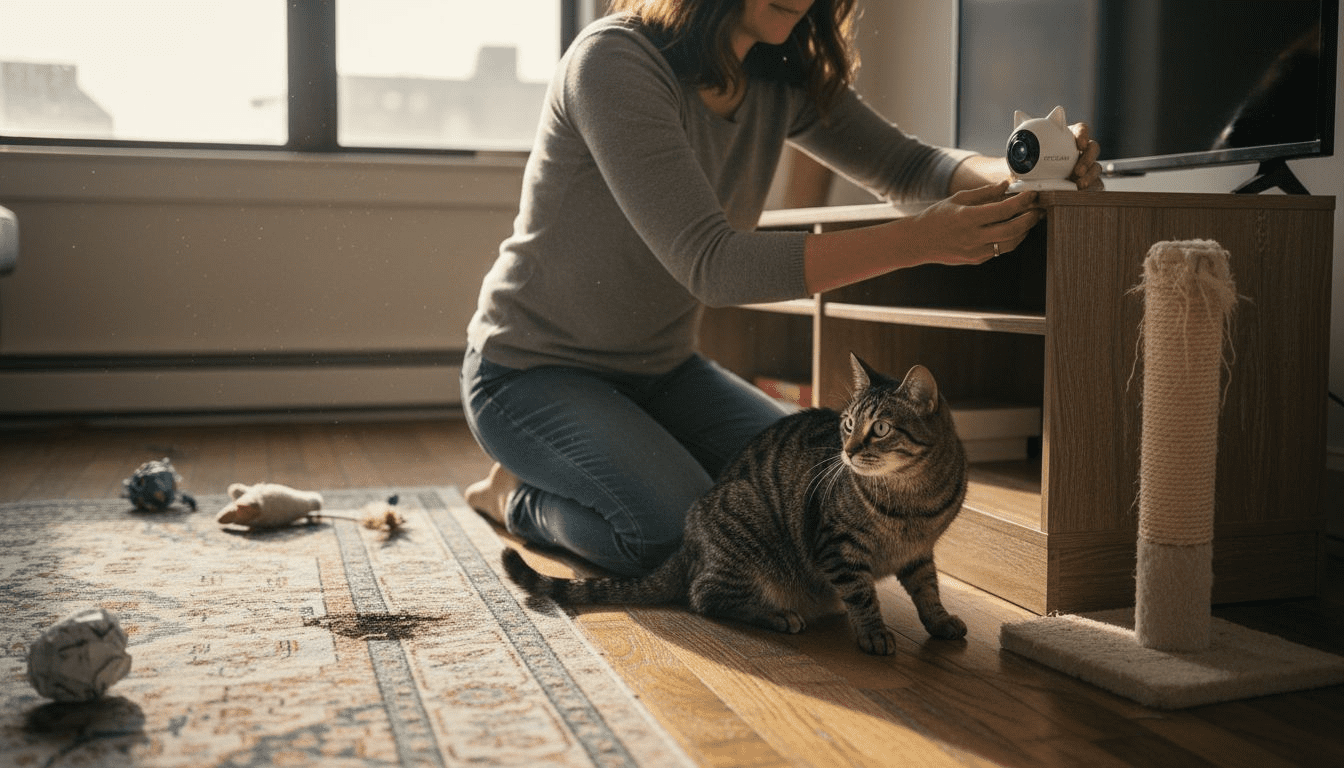
More than 60 percent of American pet owners use smart cameras to keep an eye on their cats while away from home. Choosing the right device can feel daunting given the variety of features and costs on the market. Understanding how modern technology supports cat safety, remote communication, and interactive play will help you create a happier, less anxious home environment for your pet.
Table of Contents
- Choose the Right Cat Camera for Your Needs
- Set Up Placement for Full Room Coverage
- Use Two-Way Audio for Remote Communication
- Leverage Treat-Dispensing Features for Training
- Enable Smart Alerts for Real-Time Pet Activity
- Optimize Night Vision for Low-Light Monitoring
- Integrate Your Cat Camera with Smart Home Devices
Quick Summary
| Takeaway | Explanation |
|---|---|
| 1. Choose an appropriate cat camera based on needs | Assess video quality, interaction features, and your cat’s behavior to select the right device for monitoring. |
| 2. Position cameras strategically for optimal coverage | Place cameras at cat eye level and in high-traffic areas to capture activities without blind spots. |
| 3. Utilize two-way audio for interaction | Engage with your cat through audio features to reduce anxiety and correct behavior while away. |
| 4. Employ treat-dispensing for effective training | Use treat dispensers to reinforce good behavior and manage training remotely based on your cat’s motivations. |
| 5. Adjust smart alerts for real-time monitoring | Customize alerts for motion and sound detection to stay informed about your cat’s activities and safety concerns. |
1. Choose the Right Cat Camera for Your Needs
Selecting the perfect cat camera goes beyond simply picking the most expensive model. Your specific pet monitoring needs and home environment play crucial roles in finding the ideal smart device.
When exploring best pet camera options, consider three fundamental factors: video quality, interaction features, and your cat’s unique behavior patterns. Not all cameras are created equal. Some focus on high definition video streaming, while others prioritize two way audio communication or treat dispensing capabilities.
Start by assessing your primary monitoring goal. Are you tracking a mischievous kitten who might scratch furniture? Monitoring an older cat with health concerns? Or simply wanting to check in during work hours? Your specific motivation will guide your camera selection.
Key considerations include night vision capabilities, motion detection, cloud storage options, and wide angle lens coverage. Look for cameras with mobile app integration that allows real time monitoring and smart alerts. Resolution matters too the clearer the video, the better you can observe your cat’s activities.
Camera Placement Tips:
- Choose elevated spots with unobstructed views
- Avoid direct sunlight to prevent glare
- Position near areas your cat frequents
- Ensure stable mounting to prevent accidental falls
Pro tip: Test the camera angle before permanent installation to confirm you can see your cat’s favorite lounging and play areas completely.
2. Set Up Placement for Full Room Coverage
Optimal cat camera placement is more than just hanging a device randomly. Strategic positioning determines how effectively you can monitor your pet’s activities and ensure comprehensive room coverage.
Drawing insights from camera placement strategies used in wildlife monitoring, pet owners can apply similar precision techniques. The goal is to create an unobstructed view that captures your cat’s movements without blind spots.
Critical Placement Considerations:
- Position camera at cat eye level or slightly elevated
- Ensure wide angle lens covers primary activity zones
- Avoid direct sunlight or backlighting that creates glare
- Select spots near favorite cat hangouts like perches, beds, and scratching posts
Most cat cameras work best when mounted perpendicular to your cat’s typical movement paths. This angle maximizes detection zones and provides the most comprehensive visual monitoring. Consider mounting near wall corners or elevated shelves where your camera can scan the maximum room area.
Technology helps, but understanding your specific space matters most. Modern smart cameras offer adjustable viewing angles and pan tilt zoom features that allow you to customize coverage based on your room layout.
Room Coverage Checklist:
- Identify primary cat activity areas
- Test camera angles before permanent mounting
- Check mobile app view to confirm full room visibility
- Ensure stable mounting surface
Pro tip: Use painter tape to temporarily mark potential camera locations and preview different angles before making final mounting decisions.
3. Use Two-Way Audio for Remote Communication
Two way audio transforms pet cameras from passive monitoring devices into interactive communication tools. With this feature, you can now speak directly to your cat and hear their responses in real time.
Modern cat camera technologies enable pet owners to create meaningful connections even when physically absent. The microphone and speaker systems allow you to calm an anxious pet, redirect potential mischief, or simply offer reassuring words during a long workday.
Key Interactive Audio Benefits:
- Reduce pet separation anxiety
- Interrupt destructive behaviors remotely
- Provide comfort during stressful situations
- Confirm pet safety and well being
Successful two way audio communication requires understanding your cat’s unique personality. Some cats respond enthusiastically to their owner’s voice, while others might be more reserved. Experiment with tone, volume, and frequency of interactions to discover what works best for your specific pet.
Audio Interaction Best Practices:
- Use calm, soft speaking tones
- Keep initial interactions brief
- Watch your cat’s body language for response
- Reward positive reactions with treats or praise
Sound quality matters significantly. Higher end cameras offer noise reduction and clearer audio transmission, allowing more natural conversations with your furry friend.
Pro tip: Practice using two way audio during calm moments when your cat is relaxed to help them become comfortable with this new form of remote communication.
4. Leverage Treat-Dispensing Features for Training
Treat dispensing cameras transform passive monitoring into active training tools. These smart devices offer an innovative way to reinforce positive behaviors and engage with your cat remotely.
With advanced pet camera technologies, you can now reward good behavior instantly, even when you are not physically present. This feature creates a powerful positive reinforcement mechanism that can help modify and shape your cat’s behavior over time.
Strategic Training Approaches:
- Use treats to redirect unwanted behaviors
- Reward quiet moments during typically stressful times
- Create consistent training routines
- Gradually build complex behavior chains
Successful treat dispensing requires understanding your cat’s motivations. Some cats respond best to small frequent rewards, while others prefer occasional high value treats. Experiment with different treat sizes and types to discover what most effectively captures your cat’s attention.
Treat Dispensing Best Practices:
- Select small healthy treats
- Maintain consistent portion sizes
- Monitor overall daily treat intake
- Choose treats that do not crumble easily
- Sync treat rewards with specific desired behaviors
Most modern cat cameras allow you to control treat quantity and timing through smartphone apps. This precision enables targeted training interventions that can help address specific behavioral challenges.
Pro tip: Start with short training sessions and gradually increase complexity to prevent overwhelming your cat and maintain engagement with the treat dispensing feature.
5. Enable Smart Alerts for Real-Time Pet Activity
Smart alerts transform cat cameras from passive recording devices into proactive monitoring systems. These intelligent notifications keep you informed about your cat’s activities, behaviors, and potential safety concerns in real time.
Modern pet camera technologies offer customizable alert systems that can detect various events such as unusual movements, sound levels, or specific activity zones. By configuring these alerts, you can stay connected with your cat’s daily life even when you are away from home.
Smart Alert Configuration Options:
- Motion detection in specific room areas
- Unusual sound level monitoring
- Unexpected movement during quiet hours
- Potential destructive behavior zones
- Tracking of feeding or play times
The key to effective smart alerts is personalization. Not all cats require the same level of monitoring, so take time to adjust sensitivity levels and notification types. Some cameras allow you to create custom zones where alerts are more or less sensitive based on your cat’s typical behavior patterns.
Alert Customization Best Practices:
- Start with broader alert settings
- Gradually refine based on observed patterns
- Use different alert types for various scenarios
- Adjust sensitivity to prevent false notifications
- Integrate with smartphone notifications
Advanced smart alert systems can distinguish between normal cat movements and potential security concerns, providing peace of mind for pet owners who want to ensure their furry friends remain safe and comfortable.
Pro tip: Regularly review and update your smart alert settings to match your cat’s changing behavior and home environment.
6. Optimize Night Vision for Low-Light Monitoring
Night vision technology transforms cat cameras from daytime monitoring tools into round the clock guardians. Understanding how to optimize these low light capabilities ensures you can track your cat’s activities even in complete darkness.
Modern pet camera technologies leverage infrared sensors and specialized imaging techniques to capture clear video in minimal light conditions. These advanced systems convert infrared light into visible images, revealing your cat’s nocturnal behaviors with surprising clarity.
Night Vision Performance Factors:
- Infrared sensor quality
- Field of view range
- Resolution in dark conditions
- Contrast and image clarity
- Depth perception capabilities
Successful night vision monitoring requires strategic camera placement. Avoid positioning cameras directly facing bright light sources or reflective surfaces that can interfere with infrared performance. Instead, choose locations with minimal background interference to maximize image quality.
Optimal Night Vision Setup:
- Position camera at cat eye level
- Ensure clear view of sleeping areas
- Minimize reflective surface interference
- Test camera performance in actual dark conditions
- Clean camera lens regularly
Most advanced cat cameras offer adjustable night vision settings, allowing you to customize sensitivity and image quality based on your specific home environment. Some models even provide grayscale or color night vision options.
Pro tip: Conduct a comprehensive night vision test during initial setup to identify and resolve potential visibility challenges before relying on the camera for monitoring.
7. Integrate Your Cat Camera with Smart Home Devices
Smart home integration transforms cat cameras from standalone devices into powerful networked monitoring systems. By connecting your cat camera with other smart home technologies, you create a comprehensive pet care ecosystem that offers unprecedented convenience and control.
Modern smart home platforms enable seamless communication between devices, allowing your cat camera to interact with voice assistants, smart speakers, security systems, and automated home controls. This interconnectedness means you can receive alerts, trigger actions, and monitor your pet through multiple technological touchpoints.
Smart Home Integration Options:
- Connect with Amazon Alexa
- Sync with Google Home
- Link to Apple HomeKit
- Integrate with smart lighting systems
- Connect to home security networks
Successful smart home integration requires understanding compatibility requirements. Not all cat cameras support every platform, so carefully review technical specifications before purchasing. Some advanced systems allow you to create automated routines like turning on soft lighting when motion is detected or adjusting room temperature based on your cat’s activity levels.
Integration Best Practices:
- Verify device compatibility
- Use centralized smart home apps
- Create customized automation rules
- Test connections thoroughly
- Update firmware regularly
- Secure your home network
The real power of smart home integration lies in creating personalized experiences that enhance both pet monitoring and home management. By connecting your cat camera to broader smart home ecosystems, you transform passive surveillance into an intelligent, responsive system.
Pro tip: Before finalizing your smart home setup, perform a comprehensive compatibility check to ensure smooth communication between your cat camera and other connected devices.
Below is a comprehensive table summarizing the steps and strategies for choosing and utilizing a cat camera for effective pet monitoring as discussed in the article.
| Main Step/Strategy | Key Points & Actions | Benefits/Outcomes |
|---|---|---|
| Choose the Right Cat Camera | Consider video quality, interaction features, and behavior | Tailored monitoring based on specific needs |
| Set Up Placement | Position at cat eye level, test angles, avoid glare | Maximum room coverage and minimal blind spots |
| Use Two-Way Audio | Speak softly, keep interactions brief, reward responses | Reduce anxiety, comfort, and behavior control |
| Leverage Treat-Dispensing | Use treats for positive reinforcement, monitor intake | Behavior modification and engagement |
| Enable Smart Alerts | Configure alerts for motion, sound, and specific zones | Real-time monitoring and peace of mind |
| Optimize Night Vision | Use infrared sensors, avoid reflective surfaces | Clear monitoring even in low-light conditions |
| Integrate with Smart Home | Connect to platforms like Alexa, use smart routines | Enhanced convenience and control |
Enhance Your Cat Monitoring Experience with Expert Guidance and Trusted Reviews
Understanding how to maximize your cat camera’s features can feel overwhelming. This article highlights common challenges like choosing the right camera, optimizing placement, using two-way audio, and leveraging treat dispensing. Many pet owners also worry about capturing clear night vision footage and setting smart alerts that fit their unique home environment. If you want to turn these challenges into easy solutions, gaining deeper insights into each feature will empower you to create a safer and more interactive space for your beloved cat.
Boldly take control of your pet’s well-being by exploring our comprehensive resources at Pet Cameras – ModernPetTech: Treat-Dispensing Pet Camera Reviews.

Start your journey with confidence by visiting ModernPetTech where expert reviews and guides help you choose the perfect monitoring device tailored to your cat’s behaviors. Dive deeper into detailed comparisons and practical advice in our Guides & Comparisons – ModernPetTech section to stay informed and act now for your cat’s comfort and safety.
Frequently Asked Questions
How do I choose the right cat camera for my needs?
To choose the right cat camera, assess your primary monitoring goals, such as whether you want to track an active kitten or monitor an older cat’s health. Prioritize cameras based on video quality, interaction features, and your cat’s behavior patterns.
What is the best way to position my cat camera for full room coverage?
Strategically position your cat camera at eye level or slightly elevated to ensure broad visibility of your cat’s favorite areas. Use painter tape to mark potential locations and test different angles before mounting the camera permanently.
How can I use two-way audio effectively with my cat camera?
To use two-way audio effectively, speak in calm tones and keep initial interactions brief to gauge your cat’s response. Monitor their body language and adjust your approach based on their reactions to foster comfort and engagement.
What are the best practices for training my cat using a treat-dispensing camera?
When training your cat with a treat-dispensing camera, select small, healthy treats and maintain consistent portion sizes. Set up a routine, gradually build complexity in behaviors you want to encourage, and sync treat rewards with specific actions.
How do I set up smart alerts for real-time activity monitoring?
To configure smart alerts, personalize settings based on your cat’s behavior and home environment. Start with broader alert settings and gradually refine them by observing patterns to ensure accurate and timely notifications.
How can I optimize my cat camera’s night vision?
To optimize night vision, ensure that the camera is positioned away from bright light sources and reflective surfaces that can hinder performance. Clean the camera lens regularly and test its performance in actual dark conditions to achieve the best visibility.
Recommended
- Cat Camera 2025: Best Smart Cameras for Modern Cat Owners
- Pet Camera Reviews & Smart Pet Tech Guides | ModernPetTech
- budget pet camera under $50 | cheap pet cameras that work
- Best Pet Camera 2025: Monitor Your Pets Anytime, Anywhere
- 7 wertvolle Tipps für Katzenpflege: So bleibt Ihre Katze gesund

1 thought on “7 Essential Cat Camera Tips Every Pet Owner Should Know”