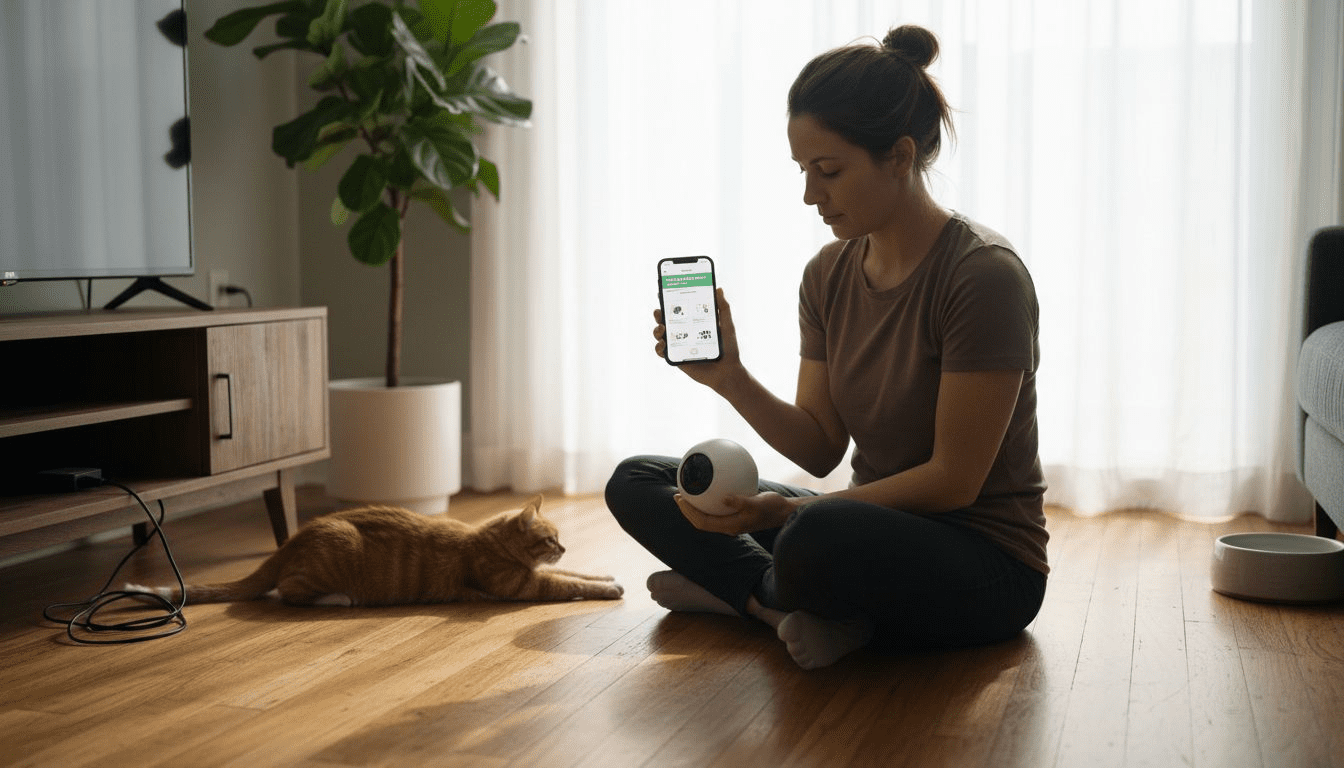
Over sixty percent of American households share their lives with pets, yet separation anxiety affects both owners and their furry companions. Tech-savvy pet lovers in the United States know the challenge of staying connected during workdays or travel. Discover which modern pet camera setups can help Americans ease stress, boost two-way interaction, and keep pets happy while away—all using smart, reliable technology tailored to diverse lifestyles.
Table of Contents
- What Is a Pet Camera and Why Use One
- Popular Types of Pet Cameras Explained
- Essential Setup Steps and App Integration
- Configuring Video, Alerts, and Treat Features
- Common Pitfalls and Home Privacy Concerns
Key Takeaways
| Point | Details |
|---|---|
| Pet Cameras Enhance Monitoring | Pet cameras offer real-time streaming, two-way audio, and advanced features for better pet care and interaction. |
| Types Cater to Specific Needs | Options like stationary, pan-and-tilt, and treat-dispensing cameras provide tailored solutions depending on household dynamics and pet behavior. |
| Privacy Considerations Are Crucial | Users should be aware of potential privacy risks and implement security measures to safeguard their data and home environment. |
| Proper Setup Ensures Effectiveness | Correct installation and app integration are essential to maximize the functionality and reliability of pet cameras. |
What Is a Pet Camera and Why Use One
A pet camera is a sophisticated wireless monitoring device that allows pet owners to visually and interactively track their animal companions remotely using smartphone applications or web interfaces. These smart devices go far beyond traditional security cameras, offering specialized features designed specifically for pet care and monitoring. Pet cameras provide real-time video streaming that enable owners to check on their pets’ activities, behavior, and well-being from anywhere in the world.
Modern pet cameras are equipped with an impressive array of technological capabilities that transform remote pet care. Key features typically include:
- High-definition video streaming
- Two-way audio communication
- Motion detection alerts
- Night vision capabilities
- Treat dispensing mechanisms
- Interactive laser or sound toys
- Cloud video storage
Pet owners choose these devices for multiple compelling reasons. Monitoring pets helps reduce separation anxiety and provides peace of mind when owners are away from home. Whether you work long hours, travel frequently, or simply want additional insight into your pet’s daily routine, a pet camera bridges the communication gap between you and your animal companion.
Pro tip: When selecting a pet camera, prioritize devices with wide-angle lenses and robust Wi-Fi connectivity to ensure consistent, high-quality monitoring of your pet’s environment.
Popular Types of Pet Cameras Explained
Pet cameras have evolved significantly, offering diverse options tailored to different pet care needs. Modern pet camera technologies provide specialized features designed to match various home environments and animal companions. Understanding these variations helps pet owners select the most appropriate monitoring solution.
The primary types of pet cameras include:
-
Stationary Cameras
- Fixed position in one room
- Wide-angle lens coverage
- Best for monitoring specific areas
-
Pan-and-Tilt Cameras
- Remotely adjustable viewing angles
- Full room monitoring capabilities
- Motorized head allows comprehensive pet tracking
-
Treat-Dispensing Cameras
- Interactive features beyond video monitoring
- Built-in mechanisms to release pet treats
- Enables remote play and reward
-
Multi-Sensor Cameras
- Integrated temperature and humidity monitoring
- Sound and motion detection
- Advanced environmental tracking
Each camera type offers unique advantages for different scenarios. Stationary cameras work best for pet owners wanting consistent area monitoring, while pan-and-tilt models provide maximum flexibility. Treat-dispensing cameras add an interactive element that can help reduce pet anxiety and provide mental stimulation during owner absence.
Here’s a quick overview comparing the main types of pet cameras and their ideal use cases:
| Camera Type | Best For | Unique Advantage |
|---|---|---|
| Stationary | Small apartments | Reliable area monitoring |
| Pan-and-Tilt | Large homes | Flexible, complete coverage |
| Treat-Dispensing | Single pet households | Interactive reward-based care |
| Multi-Sensor | Multi-pet families | Comprehensive environment data |
Pro tip: Consider your specific home layout and pet’s behavior when selecting a pet camera, ensuring the device’s features align with your monitoring and interaction goals.
Essential Setup Steps and App Integration
Successful pet camera deployment requires careful planning and systematic configuration. Budget pet cameras under $50 can provide excellent monitoring capabilities when set up correctly. The process involves multiple critical stages that ensure optimal performance and seamless connectivity.
Initial setup typically requires these fundamental steps:
-
Unboxing and Hardware Preparation
- Carefully remove camera from packaging
- Verify all included components
- Charge battery or prepare power adapter
- Select optimal mounting location
-
Network Configuration
- Ensure stable home Wi-Fi connection
- Download manufacturer’s companion app
- Create user account
- Follow in-app device pairing instructions
-
Camera Positioning
- Choose high-traffic pet areas
- Avoid direct sunlight or glare
- Ensure wide, unobstructed viewing angle
- Consider pet’s typical movement patterns
-
App Integration
- Grant necessary permissions
- Configure motion detection settings
- Set up alerts and notifications
- Test two-way audio functionality
Most modern pet camera apps offer comprehensive customization options, allowing owners to fine-tune monitoring experiences. Advanced features like zone-based motion detection, scheduling, and cloud storage can transform how you interact with and monitor your pet remotely.
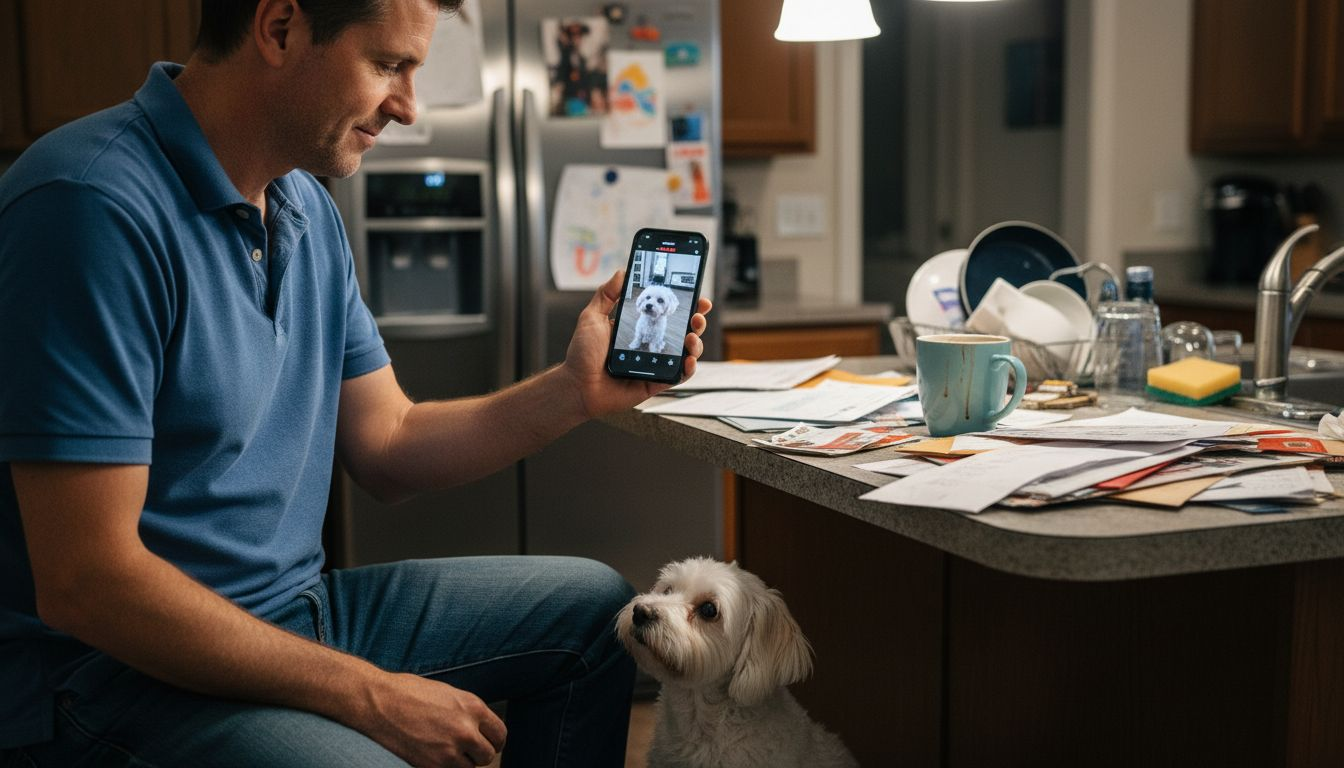
Pro tip: Always perform a comprehensive system test immediately after setup, checking video quality, audio clarity, and notification responsiveness to ensure optimal monitoring performance.
Configuring Video, Alerts, and Treat Features
Pet camera configuration transforms a simple monitoring device into an interactive pet care system. Advanced AI-powered pet cameras offer comprehensive customization options that enable precise control over video, alerts, and interactive features.
Video configuration involves several critical settings:
-
Video Quality
- Select resolution (720p, 1080p, 4K)
- Adjust frame rate
- Configure low-light performance
- Enable digital zoom capabilities
-
Alert Configurations
- Set motion detection zones
- Customize alert sensitivity
- Choose notification methods
- Schedule active monitoring times
-
Treat Dispensing Features
- Program automatic treat schedules
- Control portion sizes
- Create reward patterns
- Map treat dispensing to specific behaviors
Users can fine-tune detection parameters to minimize false alerts while ensuring critical events are captured. Configuring detection zones helps prevent unnecessary notifications by focusing on specific areas where pets typically move or rest. Most modern apps allow granular control, enabling owners to create personalized monitoring experiences that match their home environment and pet’s behavior.
Pro tip: Test your camera’s settings incrementally, adjusting motion sensitivity and alert configurations to find the perfect balance between comprehensive monitoring and minimal disruption.
Common Pitfalls and Home Privacy Concerns
Pet camera technologies bring remarkable monitoring capabilities, but they also introduce significant privacy and security challenges. In-home IoT pet technologies present complex vulnerabilities that require careful consideration and proactive management.
Key privacy risks include:
-
Data Security Vulnerabilities
- Unencrypted network transmissions
- Potential unauthorized access points
- Weak password protection mechanisms
- Cloud storage data breaches
-
Potential Misuse Scenarios
- Unauthorized video recording
- Location tracking risks
- Third-party data sharing
- Potential home layout exposure
-
Legal and Ethical Concerns
- Unclear consent boundaries
- Limited regulatory oversight
- Potential workplace monitoring issues
- Insurance and liability questions
Home surveillance footage can create unexpected privacy complications, especially when multiple household members or guests are unaware of continuous monitoring. Cybersecurity experts recommend implementing robust protective strategies to mitigate potential risks associated with these increasingly popular technologies.
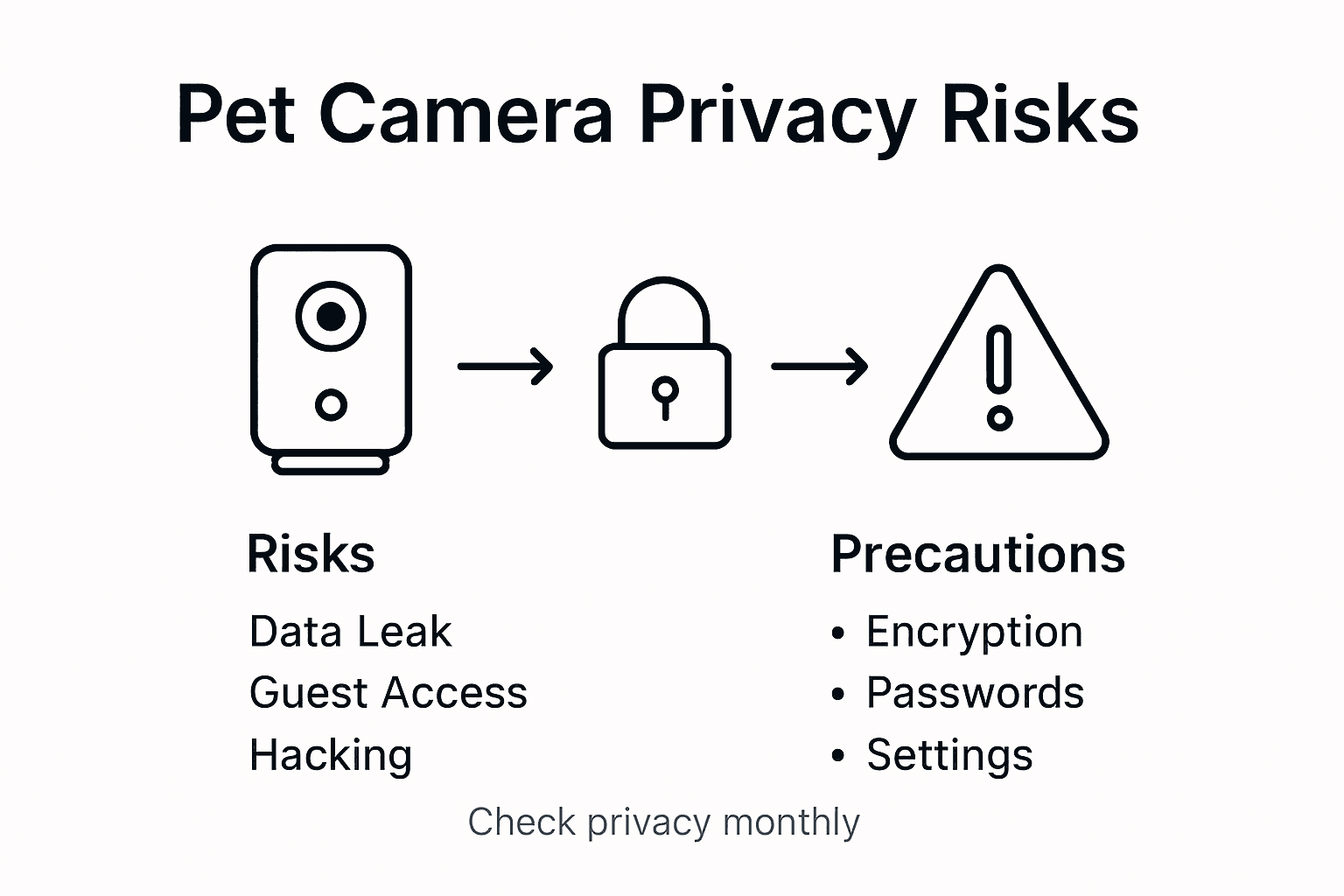
Most modern pet camera manufacturers have begun addressing these concerns by introducing advanced encryption protocols, two-factor authentication, and transparent data management policies. Users must remain vigilant, regularly updating firmware, using strong passwords, and understanding their device’s specific privacy settings.
Below is a summary of key privacy concerns associated with pet cameras and recommended precautions:
| Risk Category | Example Issue | Recommended Precaution |
|---|---|---|
| Data Security | Unsecured Wi-Fi connection | Use strong passwords, update apps |
| Misuse Possibilities | Third-party data sharing | Review privacy policies regularly |
| Legal/Ethical | Unclear consent boundaries | Inform household, set notifications |
Pro tip: Always review and adjust your pet camera’s privacy settings monthly, focusing on limiting data sharing, securing network connections, and restricting unnecessary permissions.
Take Your Pet Camera Setup to the Next Level with Trusted Guidance
Setting up your pet camera correctly is key to enhancing remote pet care and ensuring peace of mind when you are away from home. If you have struggled with choosing the right device or configuring features like treat dispensing, two-way communication, and smart alerts, you are not alone. This article highlights important basics that every pet owner should know to optimize their monitoring experience and reduce pet anxiety effectively.
Discover expert tips and in-depth reviews tailored specifically for pet cameras at Pet Cameras.
Explore reliable advice and comparisons on popular models such as Furbo and Petcube by visiting our Guides & Comparisons section. These insights empower you to make confident choices that match your home setup and pet’s behavior. Start enhancing your remote pet care journey today at modernpettech.com and turn technology into a trusted companion for your furry friends.
Frequently Asked Questions
What is a pet camera and how does it work?
A pet camera is a wireless monitoring device designed to help pet owners track their pets remotely using smartphone apps or web interfaces. It typically offers features such as real-time video streaming, two-way audio communication, and motion detection alerts.
How do I set up a pet camera?
To set up a pet camera, start by unboxing the device and preparing it for use. Ensure you have a stable Wi-Fi connection, download the manufacturer’s companion app, create a user account, and follow in-app instructions for device pairing and configuration.
What features should I look for in a pet camera?
When choosing a pet camera, consider features such as high-definition video quality, treat dispensing mechanisms, two-way audio, night vision, and motion detection. These capabilities can enhance the monitoring experience and provide better interaction with your pet.
How can I customize alerts and notifications for my pet camera?
Most pet camera apps allow users to customize alert settings by configuring motion detection zones, adjusting sensitivity levels, and selecting preferred notification methods. This ensures that you receive relevant alerts and can monitor your pet’s activities effectively.
Recommended
- Pet Camera Reviews & Smart Pet Tech Guides | ModernPetTech
- budget pet camera under $50 | cheap pet cameras that work
- Cat Camera 2025: Best Smart Cameras for Modern Cat Owners
- Best Pet Camera 2025: Monitor Your Pets Anytime, Anywhere

3 thoughts on “Pet Camera Setup Basics: Enhancing Remote Pet Care”