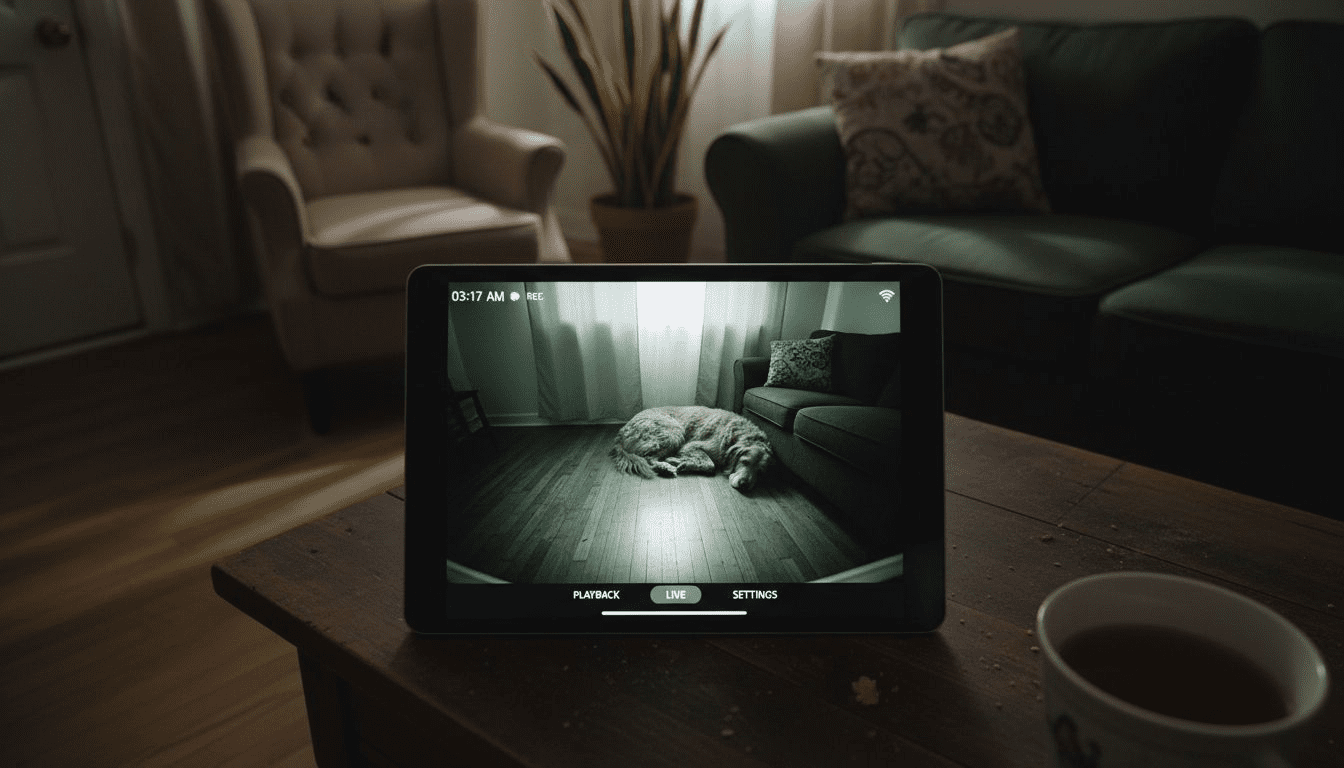
Leaving your pet alone can spark worry, especially when you want to keep them safe and comfortable all day and night. Smart camera technology lets you stay connected, but setting up a reliable night vision camera involves more than just plugging it in. With the right steps, you can create a secure, always-on monitoring system that captures every moment, helping to ease separation anxiety while giving you peace of mind wherever you are.
Table of Contents
- Step 1: Prepare Your Night Vision Camera For Pet Monitoring
- Step 2: Install The Camera In A Pet-Friendly Location
- Step 3: Activate Night Vision Features For Clear Nighttime Viewing
- Step 4: Test Camera Visibility And Adjust Settings
- Step 5: Monitor Pets Remotely For Safety And Comfort
Quick Summary
| Key Insight | Explanation |
|---|---|
| 1. Fully charge or connect your camera | Ensure your night vision camera has a reliable power source for uninterrupted monitoring. |
| 2. Optimize camera positioning | Place the camera at an elevated height for an unobstructed view while ensuring pet safety. |
| 3. Test night vision capabilities | Activate and adjust night vision settings for clarity in low-light conditions. |
| 4. Conduct systematic camera tests | Regularly check video quality and functionality across different lighting and angles. |
| 5. Utilize remote monitoring features | Use live streaming and two-way audio for real-time interaction with and monitoring of your pet. |
Step 1: Prepare your night vision camera for pet monitoring
Preparing your night vision camera for pet monitoring requires strategic setup and careful configuration to ensure seamless home surveillance. The goal is to create a reliable monitoring system that captures your pet’s activities with crystal-clear clarity.
To get started, you’ll want to focus on three critical preparation steps. First, fully charge or connect your camera to a consistent power source. Many night vision cameras come with rechargeable batteries or direct power adapters – choose the option that best suits your home layout. Night vision camera setup involves verifying your power connection and ensuring uninterrupted operation.
Next, configure your camera’s wireless connectivity. This means:
- Checking your home Wi-Fi signal strength near the camera’s intended location
- Entering your network credentials through the manufacturer’s mobile app
- Confirming a stable internet connection for real-time monitoring
Finally, optimize your camera’s specific monitoring settings. Most modern pet cameras offer customizable features like:
- Motion detection zones
- Night vision sensitivity levels
- Two-way audio communication
- Recording and storage preferences
Positioning is key: Place your camera at a height and angle that provides a comprehensive view of your pet’s typical spaces.
Pro tip: Test your night vision camera during different lighting conditions to ensure consistent performance and identify any potential blind spots.
Step 2: Install the camera in a pet-friendly location
Positioning your night vision camera correctly is crucial for effective pet monitoring. The right location ensures comprehensive coverage while maintaining your pet’s comfort and safety.
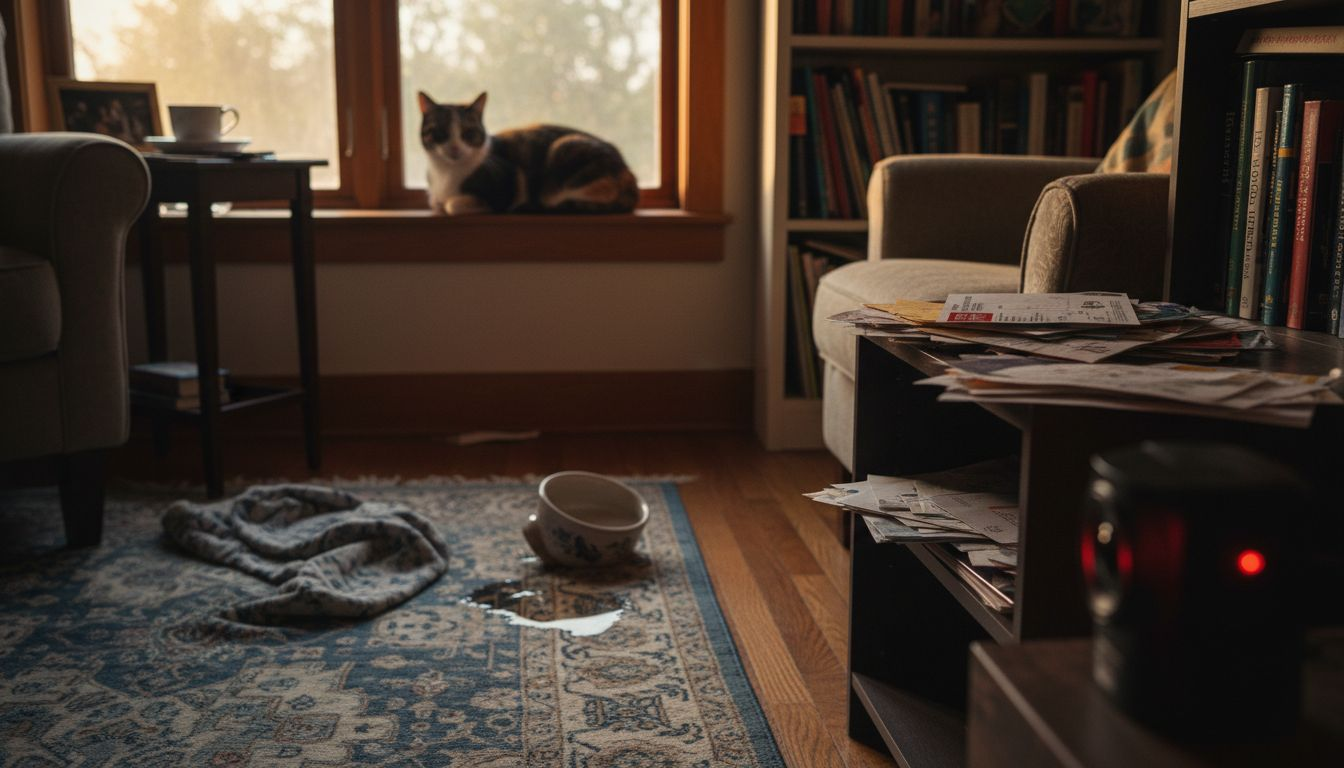
Strategic placement is key when setting up your pet monitoring system. Safe camera installation involves selecting areas that provide maximum visibility without disrupting your pet’s natural movement. Focus on high-traffic zones where your pet spends most of their time – such as sleeping areas, play spaces, or favorite lounging spots.
Consider these critical positioning guidelines:
- Mount the camera at an elevated height (around 6-7 feet)
- Ensure a clear, unobstructed view of the room
- Avoid direct light sources that might interfere with night vision
- Keep wires and mounting hardware out of your pet’s reach
- Choose locations that minimize potential camera tampering
Camera placement is about balance: capturing comprehensive monitoring while respecting your pet’s living space.
For indoor cameras, popular locations include:
- Living room corners
- Near pet beds
- Entryways and hallways
- Areas adjacent to pet feeding stations
Outdoor camera placement requires additional considerations like weatherproofing and securing the device against potential damage.
Here’s how indoor and outdoor pet camera placement compare:
| Aspect | Indoor Placement Benefits | Outdoor Placement Considerations |
|---|---|---|
| Visibility | Covers pet’s daily spaces | Monitors yard or entry points |
| Safety | Lower risk of tampering | Needs weatherproof housing |
| Setup Complexity | Simple, minimal hardware | Requires secure mounting and wiring |
| Maintenance | Easy access for cleaning | Exposure to elements increases upkeep |
Pro tip: Test your camera’s view by taking test recordings and reviewing them from your mobile app to confirm optimal positioning.
Step 3: Activate night vision features for clear nighttime viewing
Understanding how to activate and optimize night vision features ensures you capture crystal-clear footage of your pet during low-light conditions. These advanced camera capabilities allow you to monitor your furry friend even in complete darkness.
Night vision camera technology typically offers two primary activation methods: automatic and manual. Most modern pet cameras are equipped with infrared LED sensors that automatically detect and switch to night vision mode when ambient light drops below a certain threshold. However, some cameras require manual configuration through their mobile app or web interface.
To effectively activate and optimize night vision, follow these critical steps:
- Access your camera’s settings menu
- Locate the night vision or infrared settings
- Choose between automatic or manual mode
- Adjust infrared sensitivity if available
- Test different settings to find optimal performance
Night vision success depends on proper setup and understanding your camera’s specific capabilities.
When configuring night vision, pay attention to these additional considerations:
- Avoid positioning bright lights directly facing the camera
- Ensure no reflective surfaces might interfere with infrared detection
- Check the camera’s specified infrared range
- Consider the room’s layout and potential light sources
Advanced users can fine-tune settings to improve nighttime image quality, such as adjusting contrast, brightness, and infrared illumination intensity.
Pro tip: Perform a nighttime test recording to validate your camera’s night vision performance and make necessary adjustments.
Step 4: Test camera visibility and adjust settings
Testing your pet monitoring camera ensures you capture accurate and reliable footage throughout different lighting conditions. A comprehensive visibility test helps you fine-tune settings for optimal performance and pet safety.
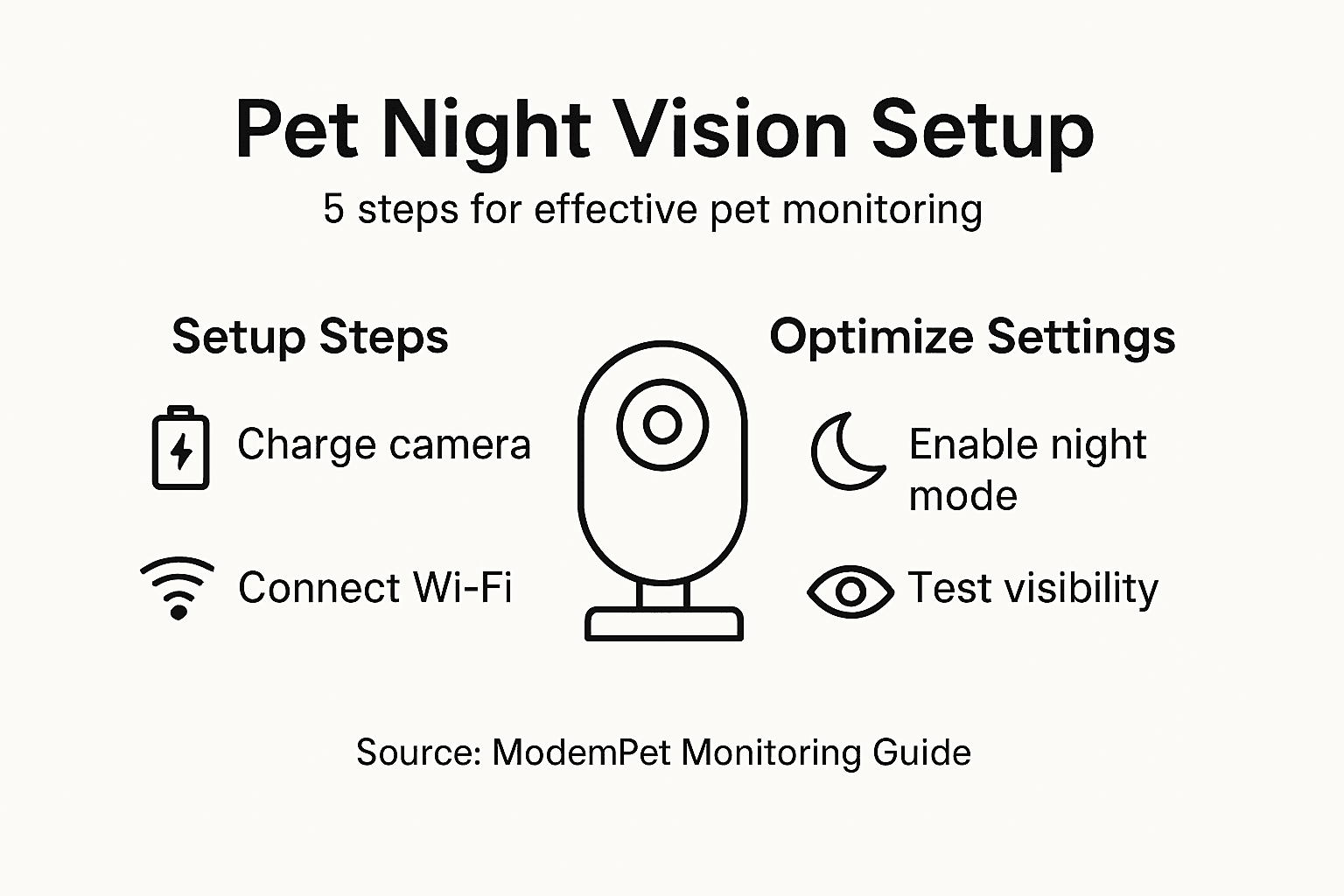
Camera setup testing involves systematic evaluation of your night vision camera’s functionality across various scenarios. Comprehensive visibility checks require careful examination of image quality, motion detection sensitivity, and overall monitoring capabilities.
Execute these critical testing steps:
- View live camera feed during different times of day
- Check video clarity in low and bright light conditions
- Test motion detection responsiveness
- Verify audio quality if two-way communication is available
- Confirm recording and storage functionality
Effective camera testing reveals potential performance limitations before they become problematic.
Focus on key adjustment areas:
- Modify camera angle for maximum room coverage
- Fine-tune infrared brightness
- Adjust motion sensitivity to reduce false alerts
- Set appropriate detection zones
- Clean camera lens to ensure crystal-clear imaging
Advanced users can dig deeper by:
- Comparing daytime and nighttime video quality
- Checking camera’s field of view
- Evaluating wireless signal strength
- Testing alert notification systems
Pro tip: Perform periodic test recordings during different hours to ensure consistent monitoring performance and quickly identify any potential issues.
Step 5: Monitor pets remotely for safety and comfort
Remote pet monitoring transforms how you care for your furry companions, offering unprecedented insight into their daily activities and ensuring their wellbeing when you cannot be physically present. Technology now enables pet owners to stay connected and responsive, even from miles away.
Remote pet monitoring systems provide comprehensive ways to track your pet’s safety and comfort through advanced technological features. Wireless connectivity and sophisticated mobile applications allow you to observe, interact, and respond to your pet’s needs in real time.
Key remote monitoring capabilities include:
Key remote pet monitoring features and their advantages:
| Feature | What It Does | Owner Benefit |
|---|---|---|
| Live Video Stream | Shows real-time pet activity | Enables immediate observation |
| Motion Alerts | Sends detected activity | Fast response to unusual behavior |
| Two-way Audio | Allows interaction | Offers comfort and remote communication |
| Activity Logs | Records pet movements | Tracks habits and identifies patterns |
- Live video streaming
- Two-way audio communication
- Motion detection alerts
- Cloud video storage
- Activity tracking
Effective remote monitoring bridges the distance between you and your pet, providing peace of mind and continuous care.
To maximize your remote monitoring experience:
- Download the camera’s companion mobile app
- Create secure login credentials
- Configure notification settings
- Set up alert zones
- Practice using the app before extended absences
Advanced monitoring strategies involve:
- Checking video history
- Analyzing pet behavior patterns
- Using two-way audio for comfort
- Managing multiple camera views
Pro tip: Create a consistent routine of checking your pet camera to familiarize yourself with the system and ensure everything functions smoothly.
Enhance Your Pet Monitoring Experience with Expert Guidance and Top-Rated Devices
Monitoring your pet with night vision cameras can solve the challenge of seeing clearly in low light while ensuring your furry friend’s safety and comfort at all hours. This article highlights the importance of proper camera placement, configuring infrared features, and enabling remote monitoring to overcome common pain points like poor visibility and missed alerts. If you want to dive deeper into the best pet cameras with advanced night vision and interactive features, our Pet Cameras section offers detailed insights and product overviews.
Discover how smart pet monitoring technology can keep you connected to your pet even when away from home. Visit ModernPetTech to explore our Guides & Comparisons and trusted Reviews that help you select the perfect device tailored for your pet’s needs. Take control of your pet’s safety today by learning from experts and choosing devices designed for dependable night vision and seamless remote interaction.
Frequently Asked Questions
How do I set up my night vision camera for pet monitoring?
To set up your night vision camera, fully charge it or connect it to a power source, then configure the wireless connectivity to ensure real-time monitoring. Adjust specific settings like motion detection zones and night vision sensitivity to optimize performance for your pet’s environment.
What is the best way to position my night vision camera for effective pet monitoring?
Position your camera at an elevated height of about 6-7 feet for maximum visibility and ensure it has a clear view of your pet’s main areas. Avoid direct light sources and place it away from potential tampering to maintain the camera’s effectiveness.
How can I activate night vision features on my camera?
Activate night vision features by accessing your camera’s settings menu and selecting night vision or infrared options. Depending on your camera, you may be able to set this to automatic or manually adjust it for optimal low-light performance.
What should I test to ensure my night vision camera works well for pet monitoring?
Test your camera by viewing the live feed at different times of day, checking video clarity in low-light and bright conditions, and confirming motion detection responsiveness. Perform a comprehensive test to identify and adjust any settings that may impact image quality or responsiveness.
How can I monitor my pet remotely using my night vision camera?
Monitor your pet remotely by downloading your camera’s companion mobile app and setting up notifications for alerts. This allows you to receive real-time updates and observe your pet’s behavior even when you are not home.
What features should I look for in a night vision camera for monitoring pets?
Look for features such as live video streaming, motion alerts, two-way audio, and cloud video storage to enhance your monitoring capabilities. These features help you stay connected and responsive to your pet’s needs throughout the day.
Recommended
- Night Vision in Pet Cameras: Enhancing Pet Safety
- Night Vision in Pet Cameras: Why It Matters
- 7 Night Vision Camera Benefits Every Pet Owner Should Know
- Role of Cameras in Home Security for Pet Owners

1 thought on “How to Use Night Vision Cameras for Pet Monitoring”