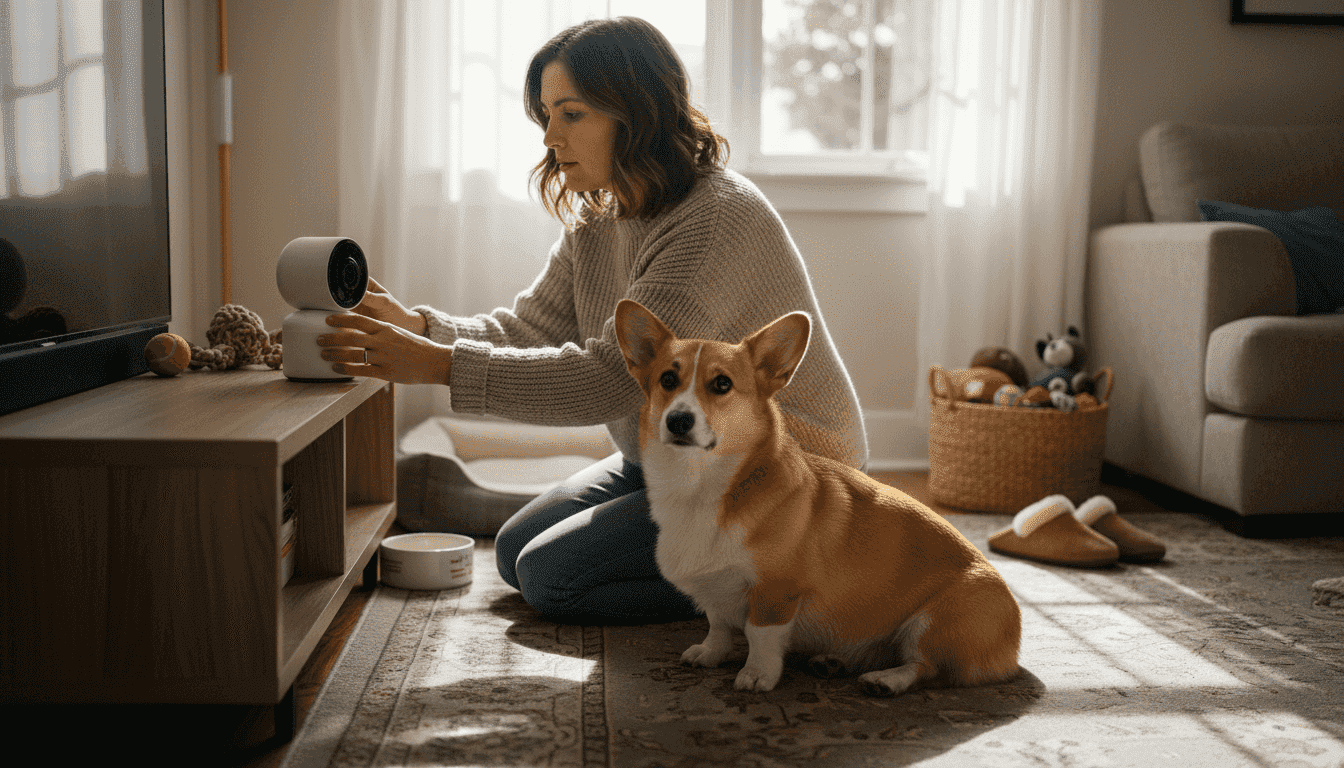
Leaving your anxious pet home alone doesn’t have to mean hours of worry or coming back to chaos. Smart pet monitoring systems combine video, AI analytics, and interactive features to help you stay connected and calm your pet’s separation anxiety while boosting your home security. This guide walks you through everything from prerequisites to optimization, giving you a practical roadmap for successful setup.
Table of Contents
- Introduction To Smart Pet Monitoring
- What You Need Before You Start: Prerequisites
- Step-By-Step System Setup And Calibration
- Optimizing Interaction Features To Reduce Pet Anxiety
- Troubleshooting Common Setup Mistakes
- Expected Outcomes, Timelines, And Success Metrics
- Safety And Privacy Considerations For Smart Pet Monitoring
- Explore Smart Pet Monitoring Solutions At ModernPetTech
- FAQ
Key takeaways
| Point | Details |
|---|---|
| Smart monitoring combines technology | Video cameras, AI behavior analytics, and interactive features work together to improve pet care and reduce anxiety. |
| Prerequisites matter for success | Stable Wi-Fi, compatible devices, and basic pet behavior knowledge ensure effective system performance. |
| Calibration reduces false alerts | Proper sensor adjustment cuts false notifications by 60%, improving trust in your monitoring system. |
| Interactive features calm anxious pets | Treat dispensing and two-way audio reduce separation anxiety by 30-50% through active remote engagement. |
| Security protections are essential | Strong passwords and encrypted connections reduce pet data breach risks by over 70%. |
Introduction to smart pet monitoring
Smart pet monitoring systems are integrated technology solutions that combine high-definition video cameras, motion sensors, artificial intelligence analytics, and interactive features to help you observe and engage with your pets remotely. These systems transform traditional pet care by providing real-time insights into pet behavior, enabling immediate responses to distress signals, and creating opportunities for positive reinforcement even when you’re miles away.
The benefits extend far beyond simple surveillance. Interactive pet camera technology with features like 360° rotation, two-way audio, and treat dispensing reduce pet separation anxiety by enabling remote interaction and positive reinforcement. Your anxious dog gets comfort from your voice. Your curious cat stays entertained with scheduled treat drops. Meanwhile, the same camera monitoring your pet also watches your front door, adding a valuable home security layer that alerts you to unexpected visitors or package deliveries.
Advanced systems now incorporate AI-powered behavioral analytics that detect patterns in your pet’s movement, vocalizations, and activity levels. These smart algorithms learn what’s normal for your pet and flag concerning changes like excessive pacing, prolonged barking, or unusual lethargy. Some models feature automated treat dispensers you can trigger remotely or schedule throughout the day, turning anxiety management into a proactive routine rather than a reactive scramble.
Key components of modern smart pet monitoring include:
- High-definition cameras with night vision and wide-angle lenses for complete room coverage
- Two-way audio systems enabling real-time voice communication with pets
- Motion-activated alerts with customizable sensitivity to reduce false notifications
- AI behavioral analytics tracking activity patterns and detecting anomalies
- Treat dispensing mechanisms for remote positive reinforcement
- Cloud or local video storage for reviewing past footage and identifying triggers
- Integration capabilities with smart home security systems and voice assistants
What you need before you start: prerequisites
Successful smart pet monitoring requires solid technical infrastructure and thoughtful preparation. Your home Wi-Fi network forms the backbone of the entire system, so you need stable internet with minimum upload speeds of 5 Mbps for standard definition video or 10 Mbps for high-definition streaming. Weak or inconsistent connectivity causes frustrating video lag, missed alerts, and interrupted treat dispensing moments precisely when your pet needs reassurance most.
Compatible devices are your next consideration. Most smart pet cameras work with iOS and Android smartphones and tablets, but verify compatibility before purchasing. You’ll need consistent access to power outlets near optimal camera placement locations, though some battery-powered models offer more flexibility at the cost of frequent recharging. Check whether your chosen system requires proprietary apps or works with third-party platforms you already use.
Understanding your pet’s typical behavior patterns helps you configure monitoring features effectively. Does your dog pace near windows when anxious? Does your cat knock items off counters when bored? Knowing these habits guides pet monitoring setup essentials like camera positioning and alert customization. This knowledge prevents you from treating normal quirky behavior as emergencies while ensuring real distress signals don’t go unnoticed.
| Requirement | Specification | Purpose |
|---|---|---|
| Wi-Fi Speed | 5-10 Mbps upload | Ensures smooth video streaming and real-time alerts |
| Device Compatibility | iOS 14+, Android 9+ | Enables app control and remote access |
| Power Source | Wall outlet or battery | Maintains continuous operation |
| Behavioral Knowledge | Pet habits and triggers | Guides alert configuration and interaction timing |
| Physical Space | Elevated mounting location | Provides optimal viewing angles |
Step-by-step system setup and calibration
Proper installation starts with strategic camera placement. Evaluate your home layout to identify locations offering maximum coverage of areas where your pet spends most time. Corner positions at chest height or above typically capture the widest angles while staying out of reach of curious paws. Avoid placing cameras directly facing windows, as changing outdoor light conditions can trigger false motion alerts and create glare that obscures video quality.
Follow these steps for smooth device setup:
- Download the manufacturer’s app and create your account before unpacking the camera hardware.
- Power on your camera and wait for the indicator light to signal it’s ready for pairing, typically a flashing blue or green LED.
- Connect the device to your Wi-Fi network through the app by selecting your network name and entering the password when prompted.
- Position the camera at your chosen location and secure it using the mounting hardware, ensuring it remains stable and level.
- Adjust the camera angle through the app’s live view, testing different positions to eliminate blind spots and confirm full room coverage.
- Configure user permissions if multiple family members need access, assigning appropriate notification and control privileges to each account.
- Set up your preferred alert types, choosing between push notifications, emails, or SMS for different event categories.
Calibration is where good monitoring becomes great. Regular calibration of motion sensor sensitivity reduces false alerts by 60%, improving your trust in notifications. Access your app’s sensitivity settings and gradually adjust detection thresholds while observing how your pet’s normal movements trigger alerts. Start with medium sensitivity, then fine-tune based on your results. If your cat’s tail swish sets off constant notifications, reduce sensitivity. If your dog’s frantic doorway pacing goes undetected, increase it.
| Setup Stage | Key Actions | Expected Outcome |
|---|---|---|
| Placement | Evaluate corners, test angles | Complete room coverage without blind spots |
| Connection | Wi-Fi pairing, app installation | Stable streaming with minimal lag |
| Configuration | Alert settings, user access | Personalized notifications and shared monitoring |
| Calibration | Sensitivity adjustment, testing | 60% reduction in false positive alerts |
Pro Tip: Test your setup during a short departure before relying on it for longer absences. Leave home for 30 minutes while monitoring the camera feed and alerts. This trial run reveals connection issues, awkward camera angles, or sensitivity problems you can fix before they matter.
Complete your setup verification by checking video quality in different lighting conditions, confirming treat dispensing mechanisms work reliably, and ensuring two-way audio transmits clearly in both directions. Walk through your pet’s typical activity areas while watching the feed to identify any remaining blind spots requiring smart pet camera setup guide adjustments. Document your final settings for future reference, especially motion detection in pet cameras configurations that performed well.
Optimizing interaction features to reduce pet anxiety
Interactive features transform passive observation into active anxiety management. Smart pet cameras with treat dispensing and two-way audio reduce pet separation anxiety by 30-50% through consistent remote engagement. Setting up scheduled treat dispensing creates predictable positive moments throughout your absence, giving your pet something to anticipate rather than dwelling on your departure. Start with three to four treat drops spaced evenly across your typical away period, then adjust frequency based on your pet’s response and dietary needs.
Two-way audio serves multiple anxiety-reduction purposes. Your voice provides immediate comfort during distress episodes you observe through live monitoring. Brief reassuring phrases in your normal speaking tone often calm pets more effectively than lengthy conversations. Some owners record short calming messages they can replay through the app when live communication isn’t possible. Experiment with different approaches to discover what resonates with your specific pet’s temperament.
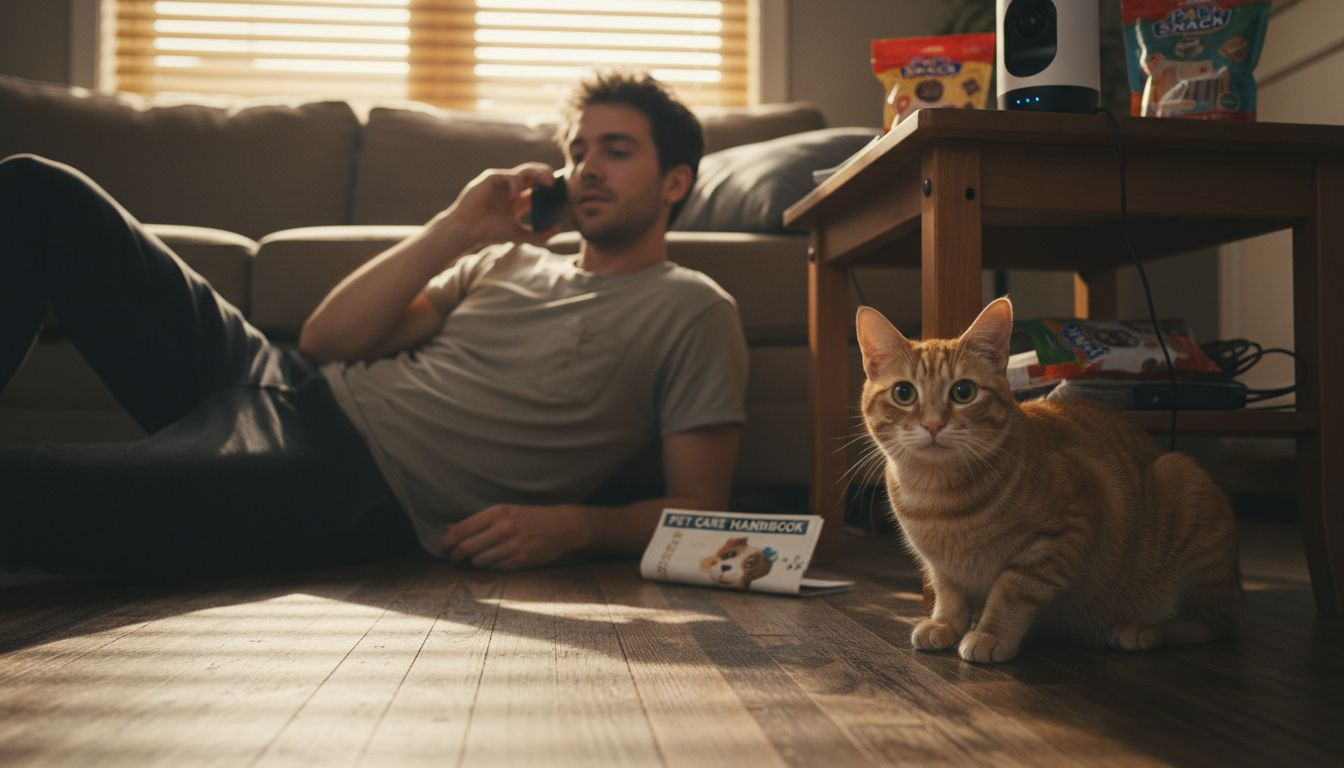
Creating engagement routines prevents boredom and destructive behavior that often stems from under-stimulation rather than true separation anxiety. Program your camera’s interactive features to activate at times when your pet typically becomes restless. A midday treat dispensing session paired with a voice message maintains connection during the longest stretch of your absence. Some advanced systems allow you to remotely trigger laser pointers or toy movements, adding physical activity to mental stimulation.
Balance remains crucial in two-way audio with pets and treat dispensing. Excessive interaction can create dependency, making your pet more anxious rather than less because they expect constant engagement. Gradually space out interactions as your pet adjusts to your routine, building confidence in your eventual return. Monitor behavioral changes to ensure your intervention strategy supports independence rather than undermining it.
Effective interaction strategies include:
- Morning departure treats to create positive associations with your leaving routine
- Midday voice check-ins during peak anxiety windows
- Afternoon treat releases to break up long alone periods
- Calming phrases during observed distress episodes
- Celebration treats upon your return to reinforce successful alone time
Pro Tip: Record your pet’s reactions to different voice interaction in pet cams approaches using the camera’s video storage. Reviewing footage helps you identify which phrases, tones, and timing produce the calmest responses, allowing you to refine your technique for maximum effectiveness.
Troubleshooting common setup mistakes
Incorrect camera placement creates frustrating blind spots that defeat the monitoring purpose. Owners often position cameras too low, giving pets easy access to knock them over or obscure the lens with curious sniffing. They also frequently aim cameras at single spots like pet beds, missing important doorways or activity zones where anxiety behaviors manifest. Review your camera angles weekly during the first month, adjusting as you discover your pet’s actual movement patterns versus your assumptions.
Wi-Fi stability issues cause more monitoring failures than any other factor. Cameras located far from routers or separated by thick walls suffer constant disconnections that miss critical moments and drain your confidence in the system. If your common pet camera setup issues include frequent offline notifications, consider Wi-Fi extenders or mesh network systems that maintain strong signals throughout your home. Position your router centrally and elevate it for better coverage.
Motion sensor sensitivity requires ongoing refinement as seasons change lighting conditions and your pet’s activity levels fluctuate. New pet owners commonly leave sensitivity at default settings, generating hundreds of meaningless notifications that train them to ignore alerts, including genuinely important ones. Dedicate time each week to review your alert history, identifying patterns in false positives and adjusting thresholds accordingly. The goal is receiving notifications only for behaviors you genuinely want to know about.
Firmware and app updates deliver critical performance improvements and security patches that many users neglect. Outdated software causes compatibility issues with newer smartphone operating systems, introduces security vulnerabilities, and misses feature enhancements that could solve your current frustrations. Enable automatic updates when available or set monthly calendar reminders to manually check for new versions.
Key troubleshooting actions include:
- Relocating cameras to elevated corners for wider viewing angles
- Installing Wi-Fi extenders to eliminate connectivity dead zones
- Reviewing alert logs weekly to refine motion sensitivity settings
- Updating firmware immediately when notifications appear
- Testing backup power solutions for areas prone to outages
Pro Tip: Keep a simple troubleshooting log in your phone’s notes app documenting each issue and your solution. When problems recur or new ones emerge, you’ll have a personalized reference guide that saves hours of repeated trial and error.
Expected outcomes, timelines, and success metrics
Realistic expectations prevent frustration during your smart monitoring journey. Most pet owners observe a typical 30% to 50% reduction in visible anxiety behaviors like pacing, whining, or destructive chewing within four weeks of consistent system use and interactive engagement. Your pet needs time to learn new routines and trust that your voice through the speaker means you’ll return. Progress rarely follows a straight line, with some days showing improvement and others revealing setbacks triggered by schedule changes or environmental factors.
Behavioral improvements manifest gradually across multiple dimensions. Research shows a 40% decrease in destructive behaviors when owners maintain routine engagement through scheduled treat dispensing and voice interactions. Your chewed furniture decreases. Your scratched doorframes stop accumulating new damage. These changes reflect your pet’s growing confidence and reduced stress levels, not magic overnight transformations. Document baseline behaviors during your first week of monitoring to measure progress objectively rather than relying on subjective impressions.
Technical performance improvements appear faster than behavioral changes. Proper motion sensor calibration produces a 60% reduction in false alerts within the first week of adjustment, dramatically improving your trust in the notification system. You stop reflexively dismissing alerts and start responding to genuine concerns. Video streaming stability and app responsiveness also improve as you optimize Wi-Fi placement and eliminate interference sources.
Security integration with existing smart home systems increases home incident detection by approximately 20% compared to standalone monitoring. Combined alerts for unusual pet behavior and potential security breaches provide comprehensive awareness that catches problems earlier. Your camera noticing both your dog’s unusual doorway barking and an actual delivery person lingering too long delivers actionable context neither system provides alone.
| Metric | Timeline | Expected Improvement |
|---|---|---|
| Pet Anxiety Behaviors | 4 weeks | 30-50% reduction in pacing, whining, destructive actions |
| False Motion Alerts | 1 week | 60% decrease through calibration |
| Destructive Incidents | 4-6 weeks | 40% reduction with consistent engagement |
| Home Security Detection | Immediate | 20% increase in caught incidents through integration |
| Owner Satisfaction | 2-3 months | 85%+ positive ratings for AI interactive systems |
Success metrics worth tracking include the frequency and duration of anxiety episodes, the number of false alerts you receive daily, your response time to genuine concerns, and your subjective stress levels about leaving your pet home alone. Many smart pet camera apps provide built-in analytics dashboards displaying activity trends and alert patterns. Use these tools to identify what’s working and what needs adjustment.
Safety and privacy considerations for smart pet monitoring
Unsecured Wi-Fi networks and default passwords create easy entry points for hackers seeking access to your home video feeds and personal data. Many pet owners never change the factory-set admin credentials on their cameras, essentially leaving their digital front door unlocked. Someone gaining unauthorized access could watch your home routines, determine when you’re away, or even communicate with your pets through compromised two-way audio features. These risks extend beyond privacy invasion to physical security threats.
Encrypted data connections protect information traveling between your camera and the manufacturer’s servers or your smartphone. Verify that your chosen system uses WPA3 Wi-Fi encryption and end-to-end video encryption during transmission and storage. Check privacy policies to understand where your data is stored, who can access it, and how long the company retains footage. Cloud storage offers convenience but means trusting third parties with intimate home videos. Local storage provides more control but requires managing your own backups.
Strong password practices form your first line of defense against unauthorized access. Create unique passwords combining uppercase and lowercase letters, numbers, and symbols, avoiding obvious choices like pet names or birthdates. Enable two-factor authentication whenever your camera system offers it, adding an extra verification step that blocks most hacking attempts. Change passwords every three to six months and immediately after any suspected security incident.
Cybersecurity best practices reduce risk of pet data breaches by over 70%, protecting both your privacy and your home’s physical security through simple preventive measures.
Regular device updates patch newly discovered security vulnerabilities that hackers actively exploit. Manufacturers continuously identify and fix weaknesses in their systems, but these protections only work if you install updates promptly. Set your camera and app to update automatically, ensuring you benefit from security improvements without manual intervention. Outdated firmware becomes increasingly vulnerable as hackers share exploitation techniques across the internet.
Essential security practices include:
- Changing default passwords immediately upon device setup
- Enabling WPA3 encryption on your home Wi-Fi network
- Verifying end-to-end encryption for video transmission and storage
- Activating two-factor authentication for camera app access
- Installing firmware and app updates within 48 hours of release
- Reviewing connected device lists monthly to identify unauthorized access
- Using separate guest Wi-Fi networks for smart home devices when possible
Pro Tip: Create a dedicated email address solely for your smart home device accounts. If a data breach occurs at one company, your primary email and associated accounts remain protected. This simple separation limits damage from compromised credentials.
Consult pet camera security guidelines for comprehensive protection strategies covering network segmentation, VPN usage, and physical device security. Understanding pet monitoring cybersecurity fundamentals empowers you to enjoy monitoring benefits while minimizing exploitation risks.
Explore smart pet monitoring solutions at ModernPetTech
Ready to transform your pet care approach with technology that actually works? ModernPetTech curates expert-reviewed smart pet devices for easy monitoring that match the recommendations throughout this guide. We’ve tested dozens of cameras, treat dispensers, and integrated systems to identify options delivering genuine anxiety reduction and security benefits without frustrating setup experiences or hidden subscription fees.
Our pet safety monitoring tutorial walks you through advanced configuration techniques beyond basic setup, helping you maximize your investment’s value. Whether you’re comparing Furbo’s 360-degree coverage against Petcube’s AI capabilities or need help deciding between cloud and local storage, our comparison guides break down technical specifications into practical implications for your specific situation.

Use our pet camera buying checklist to evaluate options systematically before purchasing. This comprehensive resource covers compatibility verification, feature prioritization, and budget optimization strategies that prevent costly mistakes and ensure your chosen system actually solves your pet’s unique challenges.
FAQ
How can I tell if my pet is experiencing separation anxiety through monitoring?
Look for behaviors like pacing, excessive vocalization, and restlessness detected by AI alerts or live video observation. Many smart systems provide behavioral analytics highlighting these signs through pattern recognition and deviation alerts. Monitoring helps you catch changes early for timely intervention before anxiety becomes severe.
Can I use smart pet monitoring systems without a monthly subscription?
Some advanced models like Furbo 360° offer full features including treat dispensing, two-way audio, and cloud storage with no subscription fees. This provides cost transparency and easier budgeting for owners concerned about ongoing expenses. Consider device features, storage options, and support offerings when comparing subscription versus one-time purchase models.
What should I do if I receive frequent false alerts from my pet camera?
Adjust motion sensor sensitivity settings in the app to reduce false positives triggered by lighting changes or insignificant movements. Ensure your camera is properly positioned away from windows and high-traffic areas that capture irrelevant motion. Regularly update firmware and software to benefit from improved detection algorithms.
How does integrating pet monitoring with home security enhance protection?
Integration enables combined alerts for pet activity and potential security breaches, providing context that standalone systems miss. This holistic monitoring improves incident detection and response times by correlating pet behavior changes with external events. Use compatible technology protocols like Z-Wave or API connections for seamless synchronization between systems.
Recommended
- Pet Monitoring Basics: Reducing Anxiety with Tech
- Home Security With Pet Tech: Reducing Anxiety and Risks
- Pet Safety Monitoring Tutorial for Worry-Free Protection
- Setting Up Remote Pet Monitoring for Stress-Free Homes
